

Running out of USB ports on a computer can get annoying, especially when you have several external hard drives and other accessories to connect. That is the problem I open with in my latest desk-setup video, and it is the reason I reached for a compact 7-port desktop USB 3.0 hub with a mix of USB-A and USB-C ports. The brand sent me the hub to review, and I used it with my external hard drives to see how convenient it would be on my desk.
The footage is a short home demonstration of the seven ports, the angled face, the aluminum body, and the 4-foot cable. It is not a speed benchmark, and I do not measure transfer rates in the clip. The 5 Gbps rating, power notes, dual-chip design, and compatibility details below come from the product listing and my video description, alongside what I show and say on camera. The hub itself is labeled AiBaiFu. The Amazon listing I matched is sold under the name ABFCRTTW, model HB436, in the 4-foot cable version, with the same port layout and data-only warning.
The brand sent me this 7-port USB hub to review. As an Amazon Associate, I earn from qualifying purchases. If you buy through links in this post, I may receive a commission at no additional cost to you.

Screenshots in this post are from my YouTube video.
The 7-port USB hub at a glance
The brand sent me this 7-port USB hub to review. As an Amazon Associate, I earn from qualifying purchases. If you buy through links in this post, I may receive a commission at no additional cost to you.
| Feature | What the sources say |
|---|---|
| Brand and model | The unit in my video is labeled AiBaiFu. The matching Amazon listing is sold as ABFCRTTW, model HB436, 4-foot 7-port USB 3.0 desktop hub. |
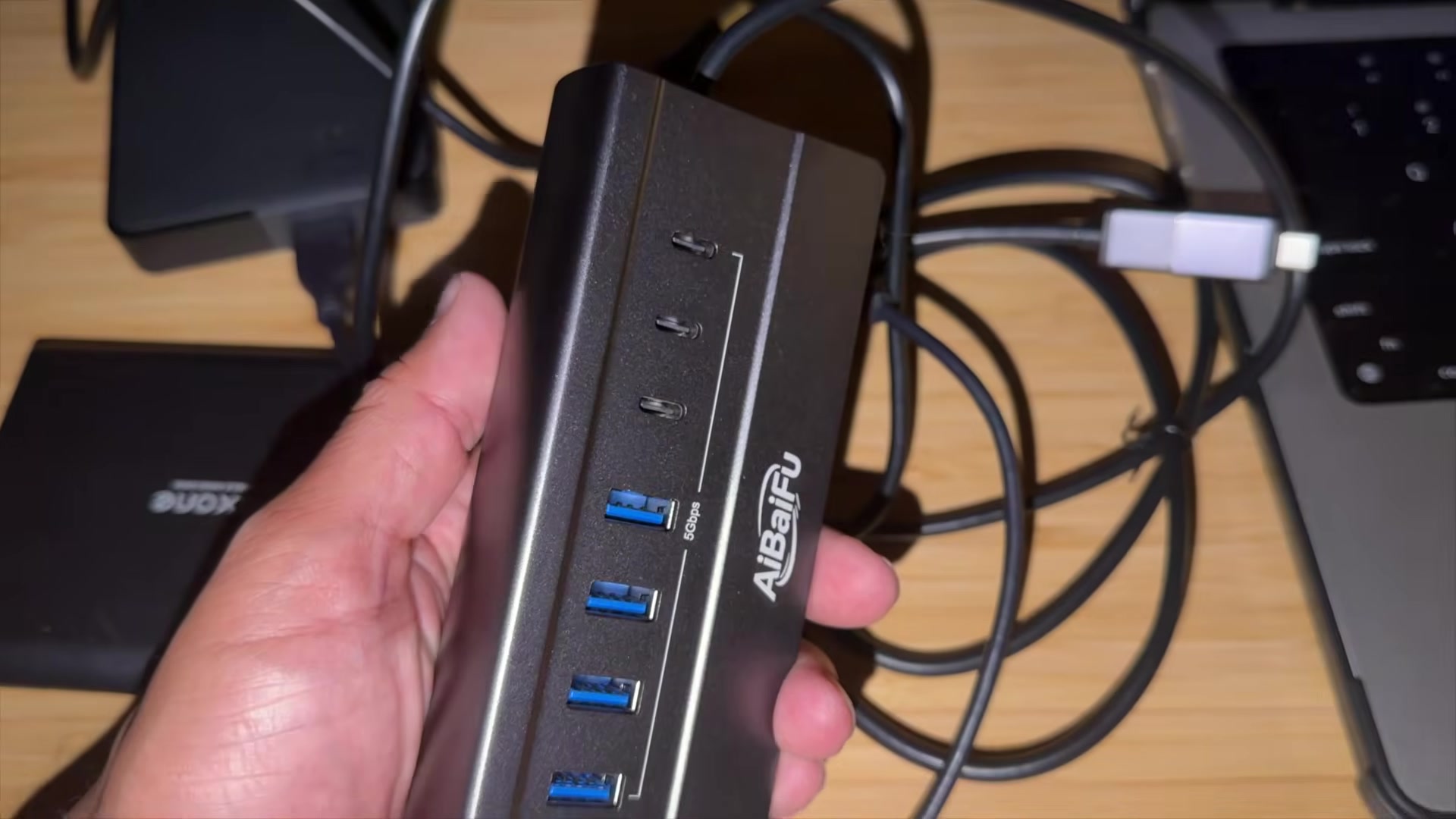
| Ports | Seven data ports: four USB-A and three USB-C, which I show on the angled face of the hub. I used it with external hard drives in the video. |
| Cable | A 4-foot cable, which I call one of my favorite features because it lets me put the hub closer to where I am working, even if the computer is farther away. |
| Design | Angled desktop design with ports tilted upward, plus an aluminum body. I say the tilt makes it easier to plug in and remove devices, and that the aluminum finish looks clean on a desk. |
| Advertised speed | USB 3.0 data transfer up to 5 Gbps, according to the listing and the 5Gbps marking on the hub. I do not measure that speed in the video. |
| Power note | The hub is designed primarily for data transmission, not for charging phones or other battery-powered devices. I make that point in the video, and the listing prints the same warning. The listing also mentions 5V/3A Type-C power support for compatible peripherals such as external drives. |
| Other listing details | Plug-and-play use, a dual-chip design, and compatibility with Windows, macOS, and Linux, according to the listing and my video description. |
| Price and rating | About $24 on Amazon, with a 4.4-star rating from several hundred reviews when I checked the 4-foot listing. Prices and stock can change. |
What I use it for on my desk
I wanted more connections in one place, without constantly reaching behind the computer or swapping cables. The main feature I highlight is the set of seven additional ports: four traditional USB-A ports and three USB-C ports. That mix gave me more options for the kinds of devices I actually keep around a desk, including external hard drives, flash drives, keyboards, and mice.
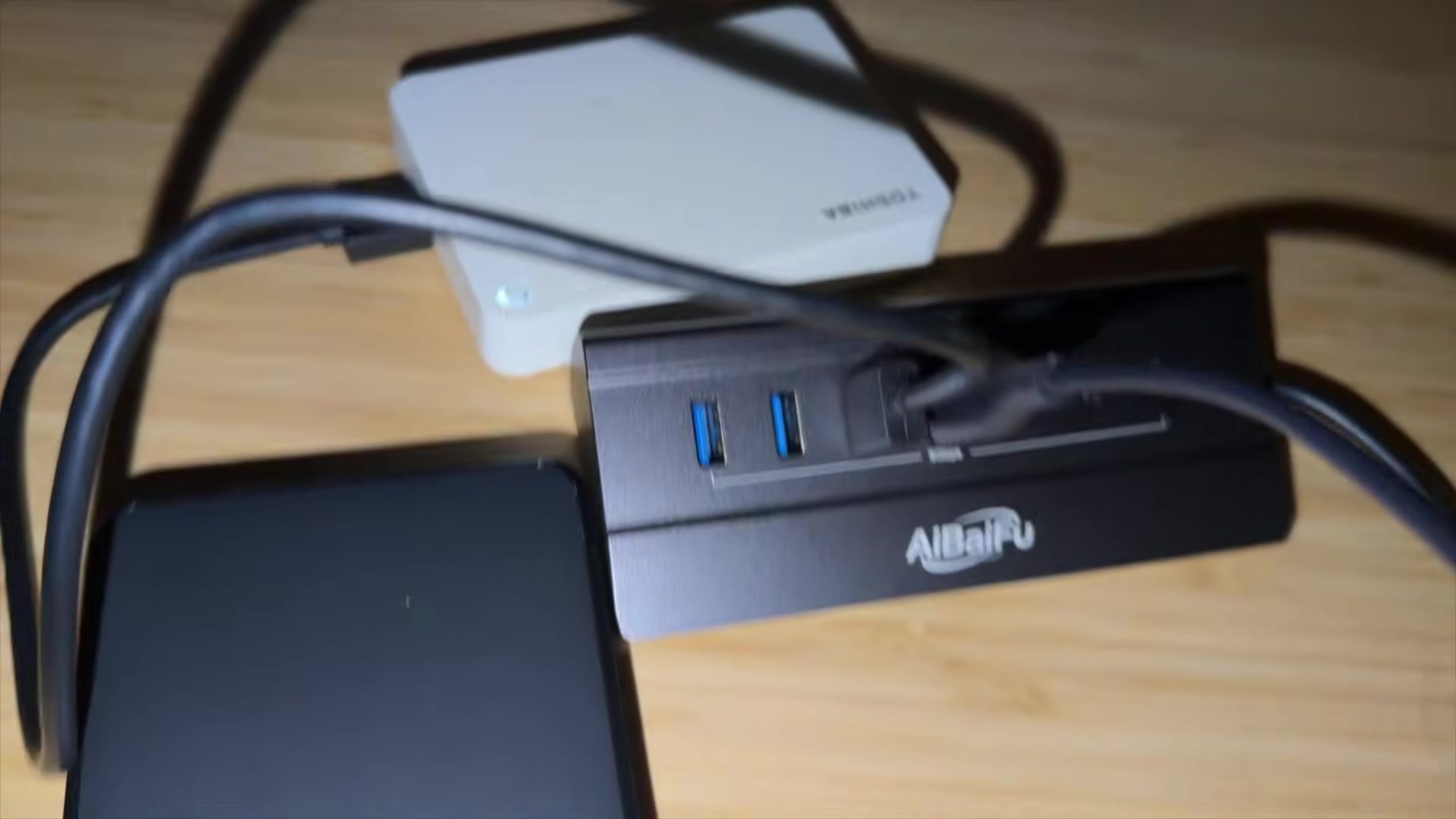
For the demonstration, I connected my external hard drives directly to the hub and kept those connections in one convenient location. In the footage you can see a black drive and a white drive plugged in at the same time, with the hub sitting on the desktop instead of at the back of the computer. I do not run a formal file-transfer test, and I do not compare this hub with other 7-port models in the video.
That simple use case is the whole point of the clip. If you regularly move files on and off external drives, a short cable tucked behind a laptop or a tower gets old quickly. This hub is meant to sit where your hands already are.
The angled design and the 4-foot cable
The feature I mention right after the ports is the angled design. Instead of having the ports face straight out, they are tilted upward. I say that makes it easier to plug in and remove devices, and the close-up in the video shows that slope clearly, along with the four USB-A ports, the three USB-C ports, and a 5Gbps marking on the face.
The hub also has an aluminum body. I say that gives it a clean appearance that fits nicely on a desk. I am describing how it looks and feels in the setup, not running a durability or heat test. The listing also points to the aluminum casing for a sturdier desktop build.
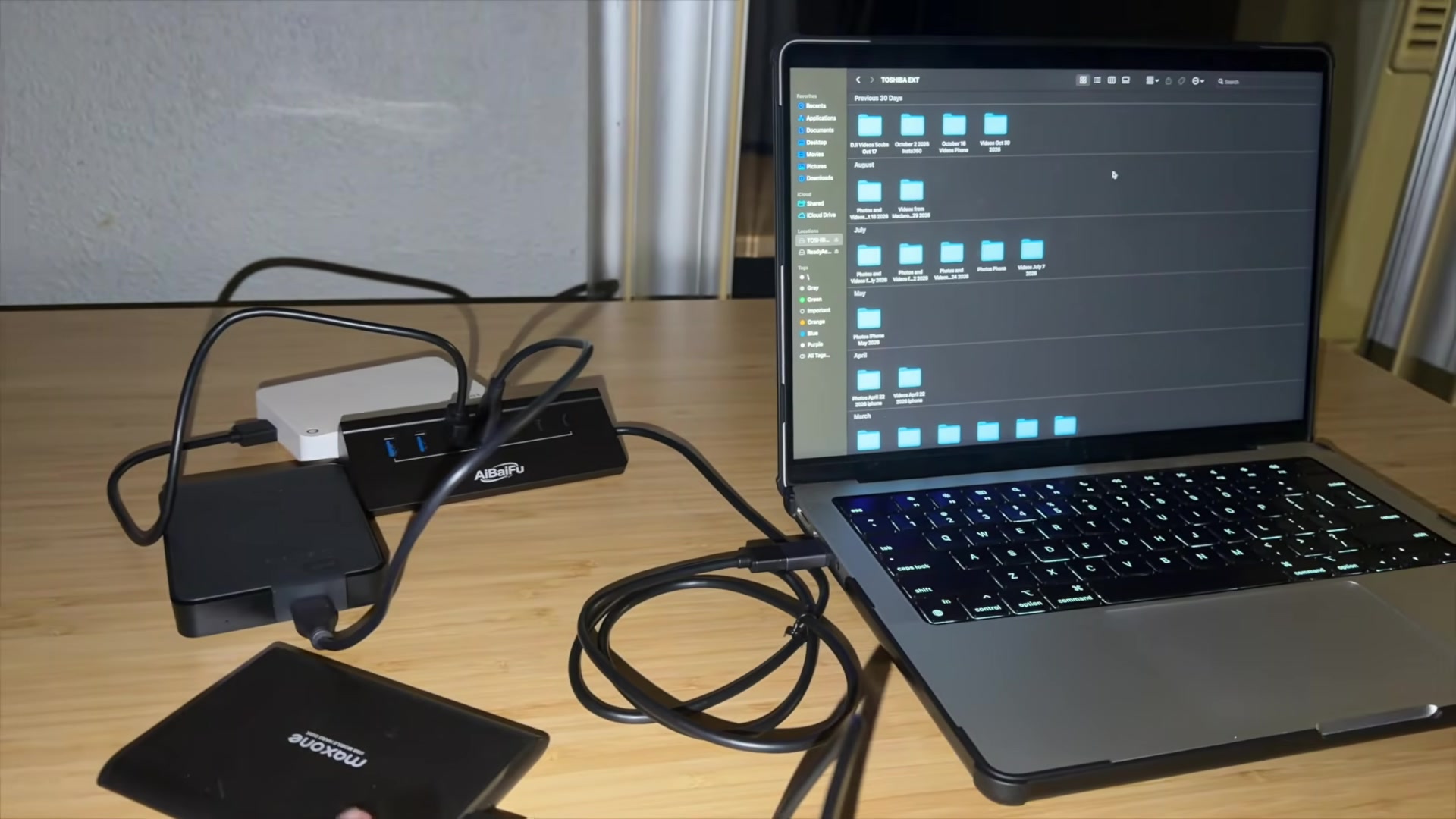
One of my favorite features, I say in the video, is the 4-foot cable. That extra length is what lets me position the hub closer to where I am working, even if the computer is farther away. In the wider desk shot, the cable runs from the hub to a laptop with enough slack to keep the drives and the hub together on the desktop. The listing describes the same 4-foot cable as a way to organize a desktop setup without stretching to reach the computer.
A data hub, not a charger
The most important limitation I call out is that this hub is designed primarily for data transmission, not for charging phones or other battery-powered devices. If you pick it up expecting a charging dock, that is not the job it is built for. I wanted that to be clear before anyone treats it as a phone-charging strip.
The Amazon listing prints the same warning in plain language. It also mentions a 5V/3A Type-C power input intended to help with higher-draw peripherals such as external hard drives, not to charge phones or tablets through the hub. I do not demonstrate that extra power input in the video, so I am leaving it as a listing detail rather than something I showed.
My video description adds the rest of the on-paper details: advertised USB 3.0 speeds up to 5 Gbps, a dual-chip design, plug-and-play use, and compatibility with Windows, macOS, and Linux. Those are manufacturer and listing claims. The video shows the ports, the cable, and the desk layout, not a measured throughput result or a cross-platform test matrix.
Bottom line from my video
My closing impression is that this 7-port desktop USB hub is worth considering if you need more connections for a computer without constantly swapping cables. I liked the mix of four USB-A ports and three USB-C ports, the upward-tilted face, the aluminum body, and especially the 4-foot cable that let me keep the hub next to my drives.
Just remember the data-only limit. This is a hub for moving files and connecting accessories, not for charging phones. If that matches the way you use a desk, check the current 4-foot 7-port USB 3.0 desktop hub on Amazon listing for live stock, price, and the full specification sheet. The video shows how I set it up with external hard drives; it does not replace a speed test.
Notes and disclosure
The brand sent me this 7-port USB hub to review. As an Amazon Associate, I earn from qualifying purchases. If you buy through links in this post, I may receive a commission at no additional cost to you.
Primary sources: my 7-port desktop USB hub video and description, and the Amazon product listing linked above. Port layout, cable length, advertised 5 Gbps speed, power limitations, dual-chip design, and compatibility are attributed to those sources. The physical hub is labeled AiBaiFu; the linked listing is sold as ABFCRTTW, model HB436, in the 4-foot version that matches the ports and cable in the video. No independent speed measurement is claimed. Prices and stock can change.