
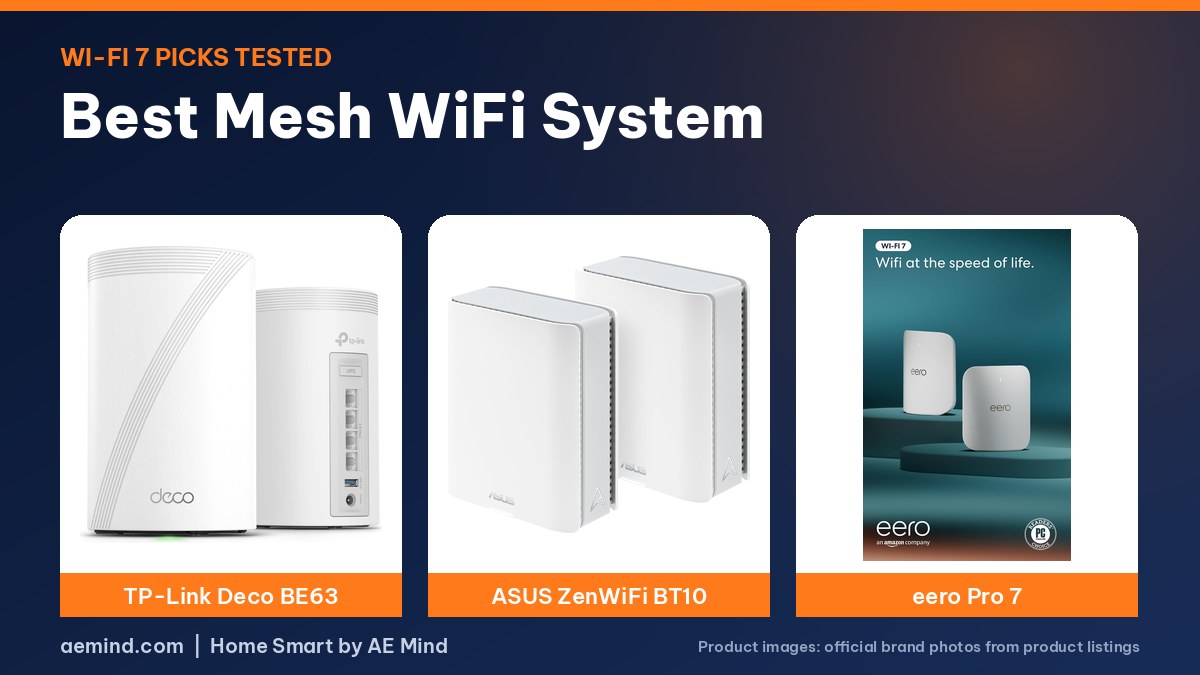
The best mesh WiFi system for most homes is the TP-Link Deco BE63, a tri-band Wi-Fi 7 kit that led the budget speed tests of landpet, a YouTube router reviewer who tests on a 5 Gbps fiber connection, alongside an MSI rival.
For multi-gig internet, the TP-Link Deco BE95 was the reviewer’s performance king, and the ASUS ZenWiFi BT10 delivered close to that speed for less. Below are the picks, the test results that matter for your plan, and Amazon prices checked October 16, 2026.
Best mesh WiFi system: picks at a glance
Prices checked on Amazon Oct 16, 2026. I may earn a commission from links, at no cost to you.
| Mesh system | Price (Amazon, Oct 16, 2026) | Why it fits | Link |
|---|---|---|---|
| TP-Link Deco BE63 (2-pack) | $329.99 | Best value: tri-band, strong wireless backhaul | Check price |
| ASUS ZenWiFi BT10 (2-pack) | $500.43 | Near-flagship speed and the most settings | Check price |
| TP-Link Deco BE95 (1-pack) | $569.99 | Fastest wireless backhaul landpet measured | Check price |
| Amazon eero Pro 7 (2-pack) | $549.99 | Simplest setup; two 5G ports | Check price |
| Amazon eero 7 (2-pack) | $284.99 | Low-cost Wi-Fi 7 for wired backhaul | Check price |
| TP-Link Deco BE25 (3-pack) | $208.73 | Least expensive Wi-Fi 7 kit tested | Check price |
What a mesh system does
A mesh system is two or more units that work together to spread Wi-Fi through your home, with one acting as the router and the rest as access points, landpet explains. Your phone or laptop switches to the closest unit automatically as you walk around, with nothing to do on the device once it is set up. The reviewer suggests keeping it to about five or six units for best results. If your nodes are connected by Ethernet, that is wired backhaul; if they talk to each other over the air, that is wireless backhaul, and it is where systems differ most.
How landpet tested
The reviewer runs a public internet speed test, then a local test that turns a computer into the server, so the mesh system is isolated from the internet provider. He repeats it with a single router, with wired backhaul and with wireless backhaul through a satellite, and runs range tests at 20 feet, 50 feet outside and 100 feet across the street, all in the same location. His line is 5 Gbps up and down, so systems can show their limits.
1. TP-Link Deco BE63: best mesh WiFi system for most homes
In the budget roundup, the tri-band TP-Link Deco BE63 (2-pack) and the MSI Roam MB8 Pro were the fastest of five systems, with the MSI taking download and the BE63 taking upload on Wi-Fi at the source. Tri-band systems with access to the 6 GHz band pulled well ahead of dual-band kits, especially on upload, and on wireless backhaul the BE63 dropped from its wired numbers but stayed among the fastest. For wired backhaul above about 1.7 Gbps, the reviewer would only consider the BE63 and the MSI. TP-Link includes basic parental controls, with advanced ones on a subscription, plus extra network names such as a separate Internet of Things network and VPN options. The listing describes the 2-pack as covering up to 5,800 square feet with a 10G WAN/LAN port.
2. ASUS ZenWiFi BT10: best performance for the price
The ASUS ZenWiFi BT10 (2-pack) has two 10G ports, so it can handle internet plans up to 10 Gbps, and landpet measured almost 2 Gbps over wireless backhaul. In his range test it was one of only two systems still above gigabit download at 100 feet. ASUS also has the most options of any brand he tested: the most network names, parental controls and AI Protection security included in the price, and plenty more for people who like to tinker. He called it an all-around amazing router for the price.
3. TP-Link Deco BE95: fastest overall
The TP-Link Deco BE95 (1-pack) was landpet’s performance king. It took first place for download in the internet and local tests and won wired backhaul outright, but its biggest lead was wireless backhaul, where the gap from first to second place was large. At 100 feet it still pulled almost 2 Gbps down. It has two 10G ports, one an SFP+ fiber combo, plus two 2.5G ports, and the reviewer found it easy to use with a decent set of options. The listing checked is a single unit, so price a full kit carefully.
4. Amazon eero Pro 7: simplest setup
The Amazon eero Pro 7 (2-pack) is very easy to set up and just works, landpet said, largely because it offers the fewest settings of any mesh system he tested: one main network and a guest network. Parental controls need a separate subscription. Its strength is two 5G ports, so there is no slowdown on plans up to 5 Gbps; on Ethernet he measured about 4.8 Gbps. He called it a phenomenal choice for people on plans up to that speed using wired backhaul who want to set it and forget it.
5. Budget picks: eero 7 and Deco BE25
The dual-band Amazon eero 7 (2-pack) and TP-Link Deco BE25 (3-pack) are the least expensive Wi-Fi 7 kits in the budget roundup. At the source, the eero 7 measured about 1.65 Gbps down and 1.27 Gbps up, and the BE25 about 1.6 Gbps down and 892 Mbps up. Both reached 2.5 Gbps on Ethernet. On wireless backhaul both fell short of the tri-band systems, which landpet says is typical of dual-band units, so they are best with Ethernet between nodes and for plans up to about 1.6 to 1.8 Gbps.
6. ASUS ZenWiFi BT6: best for gigabit plans
The tri-band ASUS ZenWiFi BT6 (3-pack) has one 2.5G port and the rest gigabit, so on Ethernet landpet measured just under 1 Gbps. For plans up to a gigabit it flies on wired or wireless backhaul, he said, with almost no difference between the two, and it held its speed at 20 and 50 feet better than the rest, partly because its port limit caps its peak speed in the first place. It includes the same broad ASUS settings and free parental controls.
7. Deco BE67 and Orbi 970: for multi-gig homes
The TP-Link Deco BE67 (3-pack) was very fast on both wired and wireless backhaul with incredibly stable software, and landpet points out a hidden benefit: with internet up to 2.5 Gbps you can still build a 10 Gbps local network for a NAS. The Netgear Orbi 970 (3-pack) took first place for upload, has two 10G and four 2.5G ports with a 10G port on each satellite, and ran super stable for him, though parental controls beyond pausing a device require a subscription. In his Deco BE77 review, landpet measured about 4.2 Gbps down at the source on a Wi-Fi 7 phone and called its wireless backhaul super fast for its class.
Mesh systems compared
| TP-Link Deco BE63 (2-pack) | ASUS ZenWiFi BT10 (2-pack) | TP-Link Deco BE95 (1-pack) | Amazon eero Pro 7 (2-pack) | Amazon eero 7 (2-pack) | ASUS ZenWiFi BT6 (3-pack) | |
|---|---|---|---|---|---|---|
| Bands | Tri-band Wi-Fi 7 | Tri-band Wi-Fi 7 | Quad-band Wi-Fi 7 | Tri-band Wi-Fi 7 | Dual-band Wi-Fi 7 | Tri-band Wi-Fi 7 |
| Ports | 10G WAN/LAN port (listed) | Two 10G ports | Two 10G (one SFP+ combo) plus two 2.5G | Two 5G ports | 2.5G ports | One 2.5G port, others gigabit |
| Notable | Top budget performer with MSI (landpet) | Above gigabit at 100 ft; most settings | Fastest wireless backhaul by a wide margin (landpet) | Simplest setup; about 4.8 Gbps wired (landpet) | Best on wired backhaul | Strong for plans up to 1 Gbps |
| Buy | Check price | Check price | Check price | Check price | Check price | Check price |
Which mesh system for your internet plan
| Your plan | Wired backhaul | Wireless backhaul |
|---|---|---|
| Up to 1 Gbps | Any of the budget picks | ASUS BT6, Deco BE63 or MSI Roam MB8 Pro (tri-band) |
| Up to 2.5 Gbps | Deco BE63 or MSI above about 1.7 Gbps | Deco BE63, BE67 or ASUS BT10 |
| Up to 5 Gbps | eero Pro 7 | Deco BE95 (fastest wireless backhaul measured) |
| Up to 10 Gbps | Deco BE95, ASUS BT10 or Orbi 970 | Deco BE95 |
Source: landpet’s budget and performance roundups.
Mesh WiFi buying tips
- Count your ports: a system with only one fast port can cap Ethernet speeds, as the BT6’s gigabit ports showed in landpet’s tests.
- Pick tri-band for wireless backhaul: dual-band kits lose the most speed when nodes talk over the air.
- Wire it if you can: landpet’s wired backhaul results stayed close to single-router speeds.
- Check subscriptions: eero and Orbi charge for parental controls; ASUS includes them.
- Smart home devices: landpet sets up a separate Internet of Things network on 2.4 GHz for gadgets that need it, which Deco supports.
- Wi-Fi 7 devices: top speeds need a Wi-Fi 7 phone or laptop that supports 320 MHz channels, landpet notes.
Mesh WiFi and your smart home
A reliable network matters more as you add cameras, thermostats and lights. Many smart plugs and bulbs only use 2.4 GHz, so a mesh system that lets you set a 2.4 GHz-only network helps them connect. If you are building out a smart home, see Best Smart Home Hub and Smart Home Hub for Beginners.
Video: landpet: “Don’t Buy the Wrong Mesh System! (Top 6 Performance Picks)”. Embedded with credit; the findings are the creator’s own.
Video: landpet: “Don’t Buy the Wrong Mesh System! (Top 5 Budget Picks, Wi-Fi 7)”. Embedded with credit; the findings are the creator’s own.
Frequently Asked Questions
What is the best mesh WiFi system in 2026?
The TP-Link Deco BE63 led landpet’s budget tests with the MSI Roam MB8 Pro; for multi-gig internet, the Deco BE95 was fastest and the ASUS ZenWiFi BT10 close behind for less.
Is Wi-Fi 7 mesh worth it?
For plans above a gigabit and Wi-Fi 7 devices, yes; tri-band Wi-Fi 7 systems with 6 GHz posted much faster results in landpet’s tests.
What is wireless backhaul?
It is how mesh units talk to each other without Ethernet; tri-band systems handle it far better than dual-band ones.
Does eero need a subscription?
Not to run, but parental controls require one, landpet notes.
How many mesh units do I need?
Most homes use two or three; landpet suggests no more than five or six in one system.
Which mesh system has the most settings?
ASUS, with the most network names, included parental controls and AI Protection.
Sources
- Amazon product listings for the products linked above, checked October 16, 2026
- landpet: “Don’t Buy the Wrong Mesh System! (Top 6 Performance Picks)”
- landpet: “Don’t Buy the Wrong Mesh System! (Top 5 Budget Picks, Wi-Fi 7)”
- landpet: “TP-Link Deco 7 Pro (BE77) Review”
Related: Best Smart Home Hub | Smart Home Hub for Beginners | Home Assistant Green Review | Best Smart Thermostat | Best Smart Christmas Lights
Notes and disclosure
Note: Prices come from Amazon listings checked on October 16, 2026. Prices change often, so check the current listing. Speed ratings, port counts and coverage areas are the manufacturers’ listed figures unless a reviewer is credited. Reviewer speeds come from their own 5 Gbps fiber line, devices and building, so real-world results vary with walls, distance, interference and your internet plan. Pack sizes differ between listings; check how many units you are getting. Test results and tips quoted above come from the YouTube creators credited in each section; they are their findings, not hands-on claims from me.