
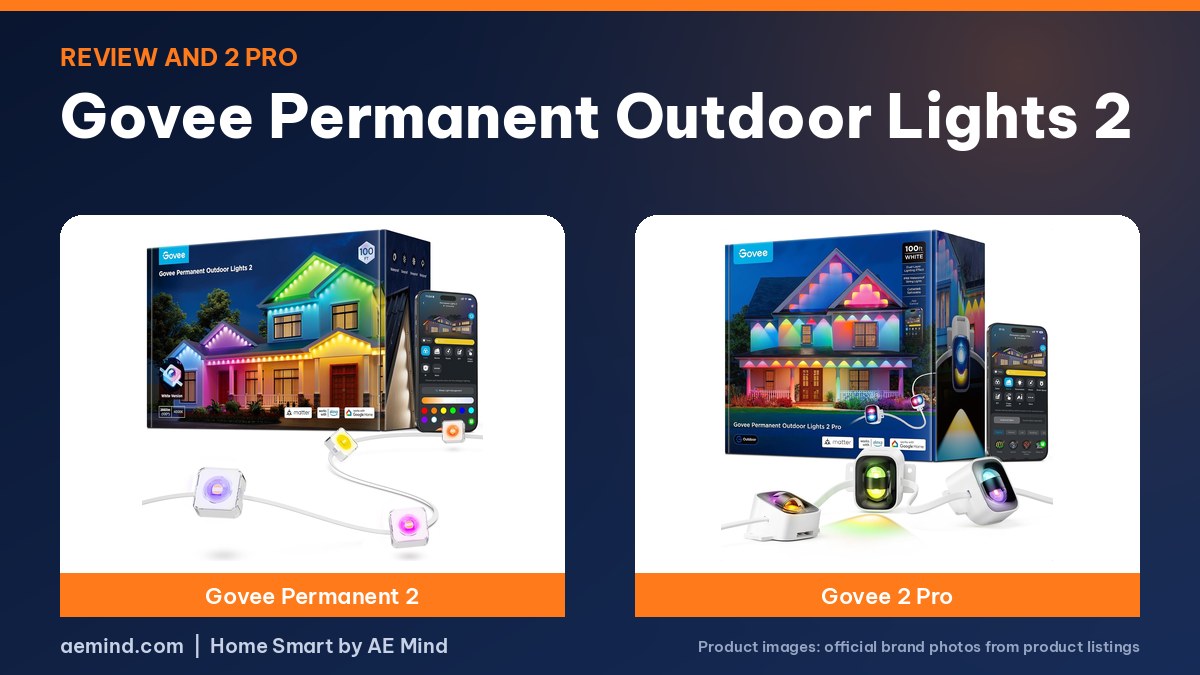
This Govee Permanent Outdoor Lights 2 review finds a plug-in eave lighting system that two people installed in about an hour with no electrician, now brighter than the original and with a dedicated white LED for everyday use, according to Erin Lawrence, a YouTube home-tech reviewer who received the lights from Govee.
For bigger or more complex rooflines, the newer 2 Pro adds dual-layer lights and cuttable strands, as Steve DOES, a YouTube DIY creator, in a Govee-sponsored video, showed on his house. Amazon prices below were checked October 16, 2026.
Govee Permanent Outdoor Lights 2 review: specs and prices
Prices checked on Amazon Oct 16, 2026. I may earn a commission from links, at no cost to you.
| Govee Permanent Outdoor Lights 2 (100 ft) | Govee Permanent Outdoor Lights 2 Pro (100 ft) | Govee Permanent Outdoor Lights Pro (200 ft) | |
|---|---|---|---|
| Type | Permanent eave lights | Dual-layer permanent eave lights | Permanent eave lights |
| Length and LEDs | 100 ft (listed) | 100 ft; cuttable (listed) | 200 ft; 120 lights; cuttable (listed) |
| Mapping and effects | Finger sketch per light (Erin Lawrence) | Upper and lower zones per light | See listing |
| Weather rating | IP67 lights; IP65 box (listed) | IP68 lights; IP67 box (listed) | IP67 lights; IP65 box (listed) |
| Notable | Dedicated white LED; 40 lm per light (Erin Lawrence) | 1,000K–10,000K whites; Y connector (listed) | Up to 50 lm per light (listed) |
| Buy | Check price | Check price | Check price |
What changed in the Lights 2
Erin Lawrence said the Govee Permanent Outdoor Lights 2 (100 ft) improves on Govee’s 2022 original in three ways: Matter compatibility, higher brightness (Govee raised output from 26 to 40 lumens per light, she said) and a new dedicated neutral-white LED in each light. That white LED addresses the bluish tint some owners noticed in the original’s white setting, she said, and it unlocks more presets in the app. Govee sells the lights in 50, 100 and 150-foot versions, with 16-foot extensions sold separately, she said.
Installation
The lights plug into a standard outlet, so there is no hard-wiring, Erin Lawrence said. Each 50 feet arrives in its own box with three strands of 12 lights. Every light has its own adhesive pad, and Govee also includes clips, screws and anchors for a more permanent mount. She and her husband measured the run, used the included spacer block to keep a consistent distance from the wall, peeled the adhesive and stuck the lights up, finishing in about an hour with ladders. A couple of weeks in, she had not seen a single light move.
Installation tips from the review
- Test every strand first. Erin Lawrence said to plug in and test each string before mounting, since it is hard to fix once stuck up.
- Measure to the outlet. Plan the run so it starts near power; Govee includes extension cables, she said.
- Mount back from the wall. She placed lights under the soffit about 6 inches from the wall for a blended, everyday look rather than a Christmas-light look.
- Pick a matching color. She chose white housings to disappear against her trim; black is also offered.
- Choose adhesive or screws. The screws and anchors are tiny and each clip takes two, she said, so adhesive is far faster.
Brightness and colors
Erin Lawrence said the lights looked good and quite bright from the first switch-on, with whites from bright to warm and any color of the rainbow. Each light can be a different color or they can all match. Govee lists IP67 lights and an IP65 control box on the 100-foot model; she said they had already handled her Canadian weather alongside other Govee outdoor lights.
The Govee app
Setup took seconds, she said: add the device in the Govee app and the lights appear. From there you can set schedules and timers, apply animated presets for holidays and everyday use, and adjust speed, brightness and intensity. Finger Sketch lets you color individual lights by drawing, and the AI bot builds scenes from text, image or audio prompts. You can also sync several Govee lights to one theme with music. She kept the lights on a daily schedule so she never has to turn them on manually.
Govee Permanent Outdoor Lights 2 Pro
Steve DOES, who has run Govee’s original Pro lights for years for holidays and backyard lighting, said the Govee Permanent Outdoor Lights 2 Pro (100 ft)’s biggest upgrade is dual-layer design: each light has an upper and lower zone that can show different colors at the same time, giving more depth without a second set. Govee added LuminBlend+ color processing for more accurate colors and smoother transitions, and AI Lighting Bot 2.0 can design layered effects from text, voice or a photo. Govee lists IP68 lights, an IP67 controller, a 1,000K–10,000K white range, and Matter, Alexa and Google support.
2 Pro installation and setup
Strands on the 2 Pro can be cut, linked or extended, and Steve’s kit included Y connectors, extension terminators and 4-foot and 12-foot extenders for multi-level rooflines. The angled bases have pre-applied adhesive; with no soffit, he mounted 2-by-1/2-inch boards painted to match his eaves. In the app, he said the Y splits need care: you add lights one at a time with the plus button until you reach the next Y, not the whole roof, and then repeat for each branch. Natural scenes such as Alaska Aurora use both zones to suggest sky and landscape, and the controller has a built-in microphone for music mode.
Lights 2 or 2 Pro?
- Lights 2: the simpler choice for a single roofline, with fast adhesive install and a dedicated white LED, Erin Lawrence said.
- 2 Pro: for dual-color looks and complex rooflines that need cuts, Y splits and extensions, Steve DOES said.
- Original Pro owners: Steve said you probably do not need to replace them unless you want the layered effect.
Note that the Govee Permanent Outdoor Lights Pro (200 ft) is the original Pro model, not the 2 Pro. For other brands, see Best Permanent Outdoor Lights.
Video: Erin Lawrence: “Govee Permanent Outdoor Lights 2: FULL at-home review”. Embedded with credit; the findings are the creator’s own.
Video: Steve DOES: “Everything You Need To Know About Govee Permanent Outdoor Lights 2 Pro”. Embedded with credit; the findings are the creator’s own.
Frequently Asked Questions
Do Govee Permanent Outdoor Lights 2 need an electrician?
No. They use a regular plug, Erin Lawrence said.
How long does installation take?
About an hour for two people on her 100-foot run with ladders.
Are they brighter than the original?
Yes; Erin Lawrence said brightness rose from 26 to 40 lumens per light.
Can you cut Govee Permanent Outdoor Lights 2?
Govee’s 100-foot Lights 2 listing says it cannot be cut; the 2 Pro strands can be cut and extended, Steve DOES showed.
Are they waterproof?
Govee lists IP67 lights and an IP65 box for the Lights 2, and IP68 lights and an IP67 box for the 2 Pro.
Sources
- Amazon product listings for the products linked above, checked October 16, 2026
- Erin Lawrence: “Govee Permanent Outdoor Lights 2: FULL at-home review”
- Steve DOES: “Everything You Need To Know About Govee Permanent Outdoor Lights 2 Pro”
Related: Best Smart Christmas Lights | Twinkly vs Govee Christmas Lights | Philips Hue Festavia Review | Best Permanent Outdoor Lights
Notes and disclosure
Note: Prices come from Amazon listings checked on October 16, 2026. Prices change often, so check the current listing. LED counts, lengths, brightness and weather ratings are the manufacturers’ listed figures unless a reviewer is credited. Several reviewers received products or sponsorship from the brands, which is noted where they are cited. Follow each maker’s instructions for outdoor installation and power. Test results and tips quoted above come from the YouTube creators credited in each section; they are their findings, not hands-on claims from me.
Affiliate Disclosure: If you purchase an item through the links on this page, I may receive a commission, at no additional cost to you. Thank you for supporting the channel.