
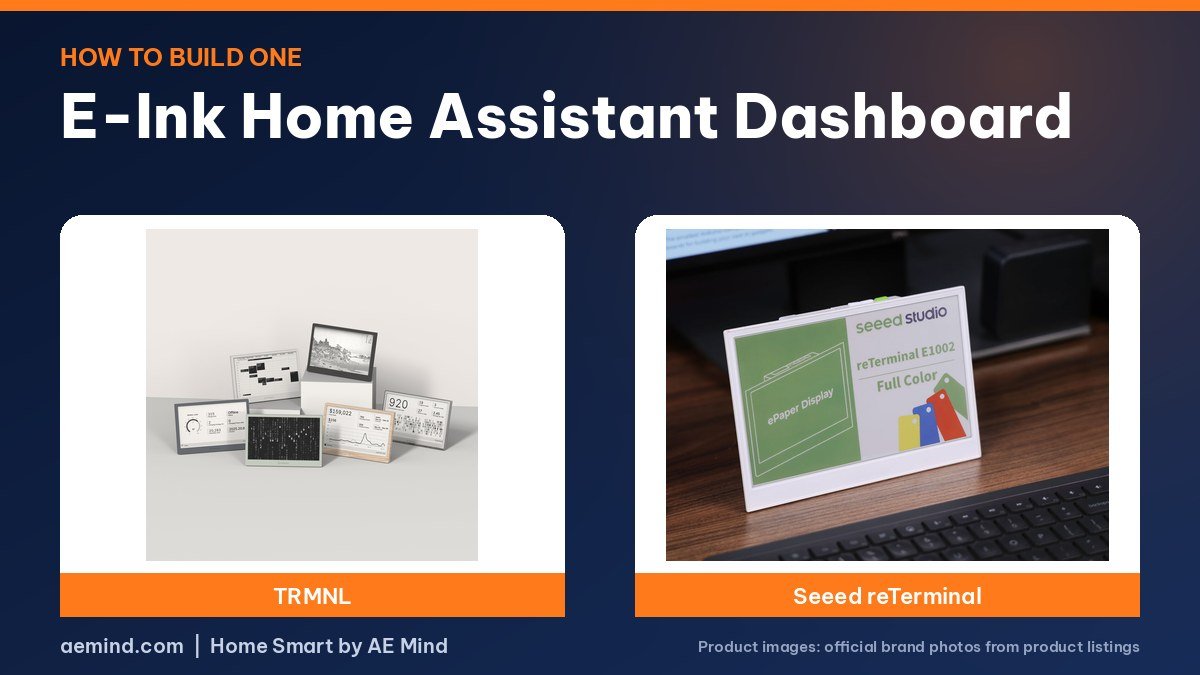
To build an e-ink Home Assistant dashboard, design a simple dashboard in Home Assistant, then send a snapshot of it to an e-paper screen such as a TRMNL, the method Smart Home Solver, the YouTube channel run by Reed Kleinman, who has about 737,000 subscribers and covers practical home automation and Home Assistant, uses at home.
This guide covers both main routes: the TRMNL screenshot add-on, and ESPHome on a Seeed Studio reTerminal. Hardware prices were checked October 21, 2026.
E-ink Home Assistant dashboard hardware
Prices checked on Amazon Oct 21, 2026. I may earn a commission from links, at no cost to you.
| Display | Price (Oct 21, 2026) | Why it fits | Link |
|---|---|---|---|
| TRMNL (OG) | $139 (TRMNL) | Screenshot add-on route; simplest setup | Official site |
| Seeed Studio reTerminal E1002 | $99 (Seeed) | ESPHome route; color e-paper | Official site |
Step 1: Design an e-ink Home Assistant dashboard
Start with a dedicated dashboard rather than your main one. E-paper is slow to refresh and the TRMNL shows black and white, so keep it to information that changes every few minutes: weather, calendar, door locks, battery levels and room temperatures. Smart Home Solver’s e-paper dashboard shows his weather station, door lock, batteries and calendar. Use large text and high contrast; the TRMNL app restyles the snapshot for e-paper, he says, but a clean layout still reads best. Reed’s longer guide to Home Assistant dashboards, embedded below, covers layout ideas.
Step 2 (TRMNL route): install the screenshot add-on
TRMNL’s help center describes the setup for its Home Assistant Screenshot integration. In Home Assistant, add TRMNL’s add-on repository from GitHub, install the TRMNL add-on, and create a long-lived access token for it. Open the add-on, choose the dashboard and a device preset, set a schedule, and paste the private webhook URL from a private plugin in your TRMNL account. Use Send Now to test. If you run Home Assistant in Docker rather than as an operating system, TRMNL documents running the add-on as a separate container pointed at your Home Assistant address.
Once it is working, the TRMNL (OG) picks up the image on its next wake. Simon Says Home Assistant, a YouTube channel dedicated to Home Assistant tutorials, shows the process in the video below.
Step 3 (TRMNL route): set the refresh and playlist
Snazzy Labs explains that the TRMNL wakes at the interval you set and skips a refresh when the image has not changed, which saves battery. In the TRMNL portal, add your Home Assistant plugin to a playlist. You can mix it with official plugins, such as Google Calendar or weather, or set time windows so the dashboard shows only when you need it. A longer interval means longer battery life; he reported about three months per charge on the standard battery.
Step 2 (ESPHome route): flash a Seeed reTerminal
The Seeed Studio reTerminal E1002 runs on an ESP32-S3 and is supported in ESPHome, according to Seeed’s documentation, which lists a ready board definition for the model. You write a YAML configuration that pulls entities from Home Assistant and draws them on the 7.3-inch color screen. Seeed’s guides cover the buttons, buzzer, battery monitoring and deep sleep. A full refresh takes about 15 to 20 seconds, Seeed says, so use deep sleep and infrequent updates for battery life. Smart Home Australia, a YouTube channel covering Home Assistant projects, shows a Seeed e-paper display working with Home Assistant in the video below.
Which route should you pick?
Pick the TRMNL route if you want the quickest result: you design in Home Assistant’s normal dashboard editor and the add-on handles the rest. Pick the ESPHome route if you want color, prefer everything to stay on your local network, and are comfortable editing YAML. The ESPHome route takes more setup, but you control exactly what is drawn and when the screen refreshes.
Step 4: Place and power it
Because e-paper only draws power on refresh, both screens can run on battery. Smart Home Solver says his TRMNL goes weeks or months between charges, so he can place it anywhere. The TRMNL includes a picture hook and a kickstand, Snazzy Labs notes. Keep it within good Wi-Fi range, since every refresh needs a connection.
If the screen does not update
Check the basics first: that the add-on is running, the access token is valid, and the webhook URL matches the private plugin in your TRMNL account. Use Send Now in the add-on to push an image immediately. Remember that the TRMNL only checks for a new image at its next wake, so a long refresh interval delays changes; pressing the button on the back requests a new image right away, Snazzy Labs notes.
Tips for a better e-ink Home Assistant dashboard
- Show status, not controls; an e-paper screen is for reading at a glance.
- Group related items, such as all door locks, into one card.
- Use mashups on TRMNL to fit several plugins on one screen and refresh less often, Snazzy Labs suggests.
- Add a timestamp so you can tell when the screen last updated.

Video: Smart Home Solver: “How to Build the PERFECT Home Assistant Dashboard!”. Embedded with credit; the findings are the creator’s own.

Video: Simon Says Home Assistant: “Show Home Assistant Data on an eInk Display using TRMNL”. Embedded with credit; the findings are the creator’s own.

Video: Smart Home Australia: “Seeed Studio ePaper Display with Home Assistant”. Embedded with credit; the findings are the creator’s own.
Frequently Asked Questions
What do I need for an e-ink Home Assistant dashboard?
A running Home Assistant setup, an e-paper display such as a TRMNL or Seeed reTerminal, and either TRMNL’s screenshot add-on or ESPHome.
Does TRMNL need its cloud for Home Assistant?
The standard setup uses a TRMNL webhook, but Snazzy Labs reports TRMNL also offers a server you can run yourself.
How often should an e-ink dashboard refresh?
Every few minutes or longer. Less frequent refreshes extend battery life.
Can I show color on an e-ink Home Assistant dashboard?
Yes, with a color panel such as the Seeed reTerminal E1002 running ESPHome.
Sources
- Amazon product listings for the products linked above, checked October 21, 2026
- TRMNL Help Center: Home Assistant Screenshot, help.trmnl.com
- TRMNL Home Assistant add-on, github.com/usetrmnl/trmnl-home-assistant
- Seeed Studio reTerminal E Series wiki, wiki.seeedstudio.com
- Smart Home Solver: “15 Cool Smart Home Devices You’ll Actually Want in 2026!”
- Snazzy Labs: “This Open-Source E-Ink Screen Is My Favorite New Gadget”
- Simon Says Home Assistant: “Show Home Assistant Data on an eInk Display using TRMNL”
- Smart Home Australia: “Seeed Studio ePaper Display with Home Assistant”
Related: Best E-Ink Smart Home Dashboard | TRMNL Review | Home Assistant Green Review
Notes and disclosure
Note: Prices come from Amazon listings (or the maker’s own store where a product is not sold on Amazon) checked on October 21, 2026. Prices change often, so check the current listing. TRMNL devices are sold by TRMNL on its own store, not on Amazon, so their prices are the maker’s published prices. Screen, battery and refresh figures are the makers’ specs unless a reviewer is credited; Snazzy Labs reviewed an earlier TRMNL at an earlier price. Snazzy Labs said he bought his TRMNL with his own money and that the video was not sponsored; his description includes a TRMNL referral link. Smart Home Solver’s TRMNL segment appears in a roundup in which Roborock sponsored a separate portion. Test results and tips quoted above come from the YouTube creators credited in each section; they are their findings, not hands-on claims from me.
Affiliate Disclosure: If you purchase an item through the links on this page, I may receive a commission, at no additional cost to you. Thank you for supporting the channel.