
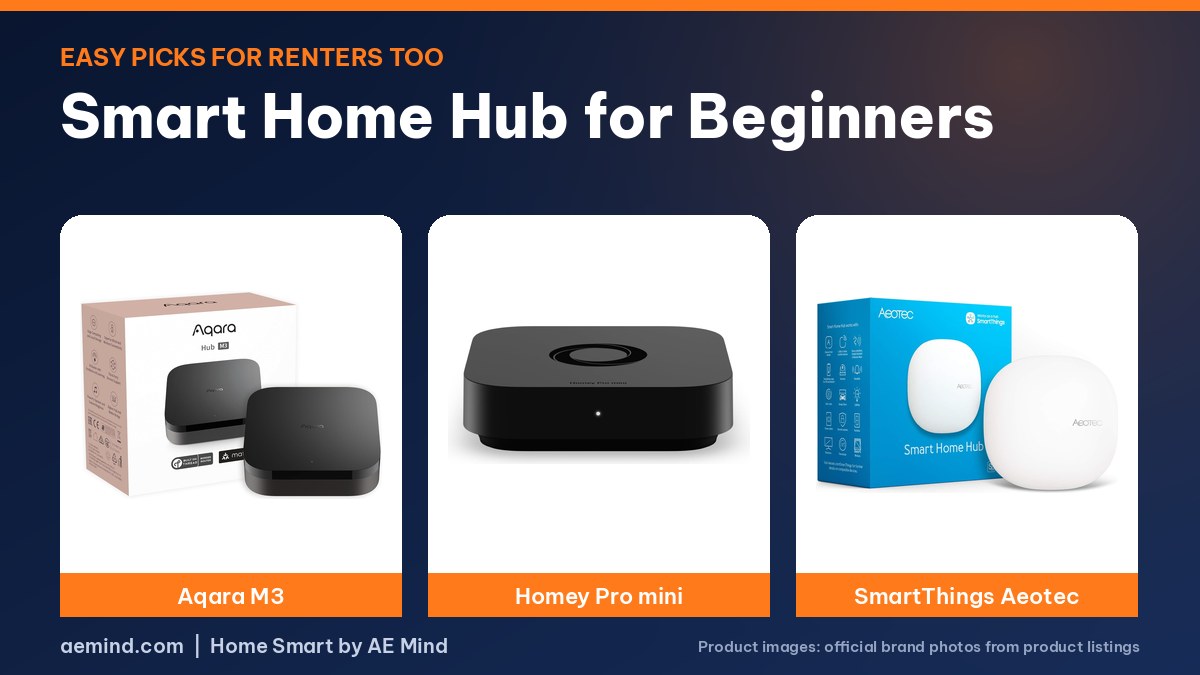
The best smart home hub for beginners is the Aqara M3, according to Automate Your Life, a smart home channel that tested every major hub and says beginners should pick one that lets them move their devices to a more advanced hub later.
The M3 does that through Matter bridging, the channel says, and it listed at $139.99 on Amazon on October 16, 2026. All three picks below plug in and need no wiring, so they suit renters too.
Smart home hub for beginners: Quick Picks
Prices from Amazon at time of writing. I may earn a commission from links, at no cost to you.
| Hub | Price | Why it fits | Link |
|---|---|---|---|
| Aqara Smart Home Hub M3 | $139.99 | Simplest setup, Matter bridge, IR blaster and DIY security; best for Apple Home (Automate Your Life) | Check price |
| Homey Pro mini | $249.00 | Homey’s easy Flow automations in a smaller hub; Zigbee, Thread and Matter, no subscription (listed) | Check price |
| Aeotec Smart Home Hub (SmartThings) | $159.99 | Works with the free SmartThings app; Zigbee, Z-Wave and Matter (listed) | Check price |
Smart home hub for beginners: what matters
- An easy app: Automate Your Life says Aqara’s automations are simple to build yet fairly sophisticated, a step above Amazon, Google and Apple.
- Room to grow: Matter support lets devices move to another platform later.
- No subscription: the channel says most Aqara devices work without one, and Homey lists none for the Pro mini.
- Renter friendly: plug-in hubs with battery sensors and plug-in lights leave no trace when you move.
Smart home hub for beginners: which to pick
- Apple Home or Aqara sensors: Aqara Smart Home Hub M3. Automate Your Life cites reliability, HomeKit Secure Video support and lower prices than many HomeKit devices.
- Want Homey’s easy Flows: Homey Pro mini. Automate Your Life notes it has 1 GB of RAM, so it suits smaller setups.
- Samsung phone and TV home: Aeotec Smart Home Hub (SmartThings).
Outgrown these? Compare Homey Pro vs Home Assistant Green.
What YouTube Reviewers Say About Beginner Hubs
These points are paraphrased from the video transcripts and credited to each creator. They are the creators’ own findings and opinions, not mine.
- Automate Your Life: the M3 adds a customizable app home page you can share with family.
- Automate Your Life: the M3 lacks Z-Wave and Bluetooth device support, so step up to Homey Pro if you need those.
- 6 Months Later: Home Assistant is not quite ready for casual users who want to set up devices and never think about them again.
Aqara M3 Setup: What Beginners Should Know
Shane Whatley, a YouTuber focused on easy Apple Home setups, tested the M3 with a unit Aqara sent free ahead of launch (Shane Whatley, “NEW Aqara M3 : The Ultimate Smart Home Hub?”). He says the video wasn’t sponsored by Aqara, though Aqara has sponsored his channel before. His setup notes:
- Connection: Ethernet with a power adapter, Power over Ethernet, or 2.4/5 GHz Wi-Fi. He recommends hardwiring if you can. No power brick is included, so bring a USB power adapter.
- Radios: Aqara’s first multi-protocol hub, with Zigbee, Thread, infrared, Wi-Fi and Bluetooth. It’s also the first Aqara hub that can pair Aqara’s Thread sensors. Automate Your Life notes you can’t add Z-Wave or Bluetooth devices to it.
- Local focus: Aqara calls it an Edge Hub, with 8 GB of local storage for logs and automations and a 95 dB speaker you can use in automations. There’s no built-in camera or microphone.
- Upgrading: it can migrate Zigbee devices from older Aqara hubs.
- Apple Home and more: add it to Apple Home through HomeKit and to Google Home or others through Matter.
- IR control: a 360-degree IR blaster keeps the app in sync even when you use the original remote. One IR air conditioner or heat pump can be exposed to Matter.
Homey Pro Mini: A Beginner Set It Up Alone
Paul Hibbert, a smart home YouTuber, handed the Homey Pro Mini to his wife Nisha, who he says had no smart home experience, not even Alexa routines (Paul Hibbert, “Home Assistant!?! *Humps The Air Sadly | Homey Pro Mini Review”; Homey sponsored the video). He gave her a mix of devices: a Zigbee bulb, a LIFX Wi-Fi bulb, Shelly and Tapo Wi-Fi plugs, a Philips Hue remote and an Aqara door sensor.
- She added the Aqara Zigbee sensor through Homey’s official app without downloading anything else, and paired a Yeelight Matter-over-Thread strip by typing in its number code.
- She connected Homey to Alexa herself by following the in-app instructions.
- She called the app intuitive and “chatty” in a friendly way; Hibbert concluded it was easy for someone starting from zero.
Hibbert says the Mini is about half the price of the Homey Pro because it drops radios most people don’t use. The optional Homey Bridge adds back 433 MHz RF, infrared, Bluetooth LE and Z-Wave, so you can upgrade later.
Video: Paul Hibbert, “Home Assistant!?! *Humps The Air Sadly | Homey Pro Mini Review”. Embedded with credit.
When a Beginner Should Skip Home Assistant
6 Months Later, a smart home channel that reviews gear after six months of use, says Home Assistant Green suits people willing to learn, but not casual users who want to set devices up and never think about them again (6 Months Later, “Home Assistant Green Review – 6 Months Later”). That’s why none of the three picks here is a Home Assistant box. If you outgrow them, the M3’s Matter bridge and Homey’s Bridge upgrade both give you a path forward.
Smart Home Hub for Beginners: First Devices to Add
- Door and window sensors: the core of a DIY security setup on the M3, per Automate Your Life.
- Motion or presence sensors: for lights that switch on when you walk in.
- Smart plugs: the easiest renter-friendly automation.
- An IR device: on the M3, a TV or air conditioner you already own can join automations.
Smart Home Hub for Beginners: Frequently Asked Questions
What is the easiest smart home hub?
Automate Your Life picks the Aqara M3 for beginners.
Do renters need a smart home hub?
Not always, but a plug-in hub ties battery sensors and plug-in devices together and moves with you.
Is Home Assistant good for beginners?
6 Months Later says Home Assistant Green suits people willing to learn, but not casual users yet.
Does the Aqara M3 need Ethernet?
No. Shane Whatley says it works over Ethernet, PoE or Wi-Fi, but recommends hardwiring.
Is the Homey Pro Mini easy for beginners?
Paul Hibbert’s wife, with no smart home experience, set it up and linked Alexa on her own.
Can I upgrade from the Aqara M3 later?
Yes. Automate Your Life says its Matter bridge lets Aqara devices move into other Matter apps.
Sources
- Amazon product listings for the products linked above, from Amazon at time of writing
- Shane Whatley, “NEW Aqara M3 : The Ultimate Smart Home Hub?”
- Paul Hibbert, “Home Assistant!?! *Humps The Air Sadly | Homey Pro Mini Review”
- Automate Your Life: “I’ve Tested Every Smart Home Hub and These 3 Are The Best!”
- 6 Months Later: “Home Assistant Green Review – 6 Months Later”
Related: Best Smart Home Hub | Homey Pro vs Home Assistant Green | Home Assistant Green Review
Notes and disclosure
Note: Prices come from Amazon listings at time of writing. Prices change often, so check the current listing. Specs are the manufacturers’ listed numbers unless a reviewer is credited. Test results and opinions quoted above come from the YouTube reviewers and sites credited in each section; prices those reviewers mention are as of their videos. Aqara sent Shane Whatley his M3 free of charge and has sponsored his channel before. I have not tested these products myself.