
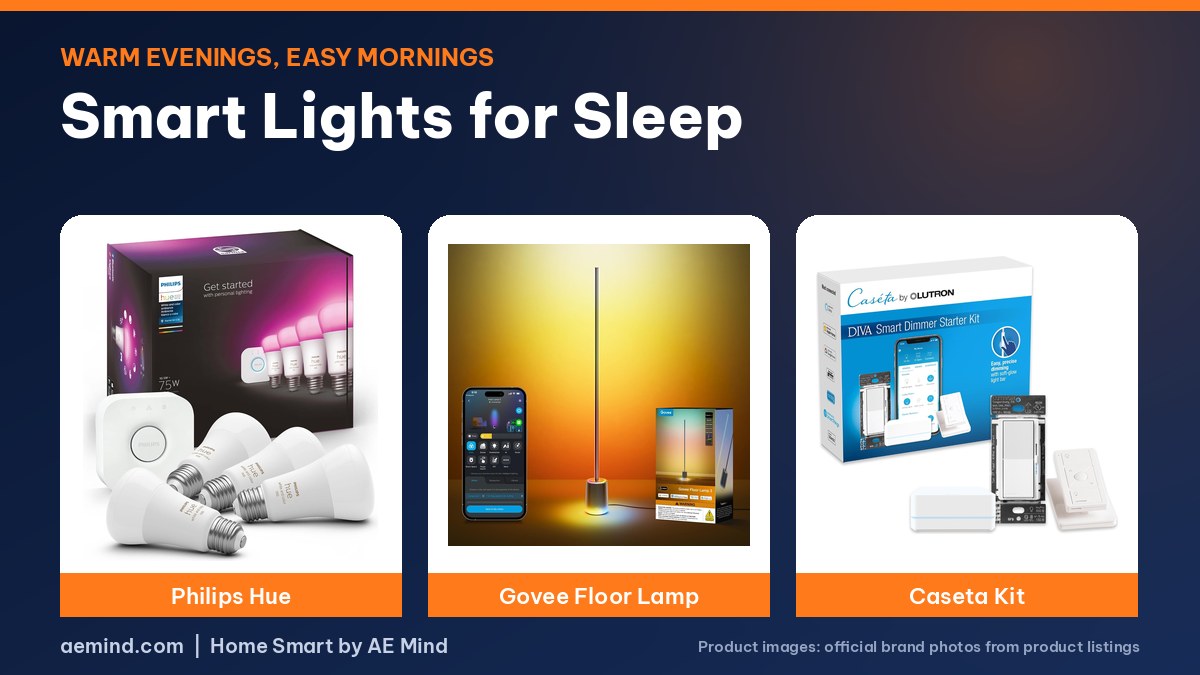
Smart lights for sleep work by getting warmer and dimmer as the night goes on, because bright daylight-colored light at night suppresses melatonin, according to 6 Months Later, a smart home review channel that walks through the bedtime automations it uses at home.
You need lights that can shift from cool daylight to warm white. The channel recommends full-color bulbs in bedrooms and cheaper tunable-white bulbs elsewhere, then a few scenes on a schedule.
Smart lights for sleep: Quick Picks
Prices checked on Amazon Oct 16, 2026. I may earn a commission from links, at no cost to you.
| Light | Price | Why it fits | Link |
|---|---|---|---|
| Philips Hue Starter Kit (Bridge + 4 color A19 bulbs) | $136.47 | Natural Light and time-based scenes built into the Hue app, per 6 Months Later | Check price |
| Govee Floor Lamp 3 | $149.99 | Tunable 1000K–10000K with a DaySync circadian mode and a dim base glow for night (listed) | Check price |
| Lutron Caseta Diva Smart Dimmer Starter Kit | $125.08 | Dim ordinary bulbs from a wall dimmer or bedside Pico remote; no smart bulbs needed | Check price |
How to set up smart lights for sleep
- Make five scenes per room: morning, workday, early evening, late evening and bedtime, as 6 Months Later suggests.
- Or use Natural Light: Hue’s scene sets color temperature and brightness by time of day. 6 Months Later says it can run too bright in rooms with many bulbs, so dim it down or use custom scenes there.
- Tie scenes to switches: Hue’s Time-Based Light picks the right scene for the time when someone presses a dimmer or walks past a motion sensor.
- End with a sunset: the channel’s bedroom lights fade into a sunset that slowly goes dark over 45 minutes.
Best smart lights for sleep by setup
- Bulbs in lamps and fixtures: the Philips Hue Starter Kit (Bridge + 4 color A19 bulbs) includes four color bulbs and a bridge.
- One lamp that does it all: the Govee Floor Lamp 3 lists a base ring you can leave on as a dim night path while the main post stays off.
- Wall switch control: the Lutron Caseta Diva Smart Dimmer Starter Kit dims the bulbs you already own and adds a bedside Pico remote.
Add blackout shades
Light from outside matters too. Smart blackout shades can stay closed until your alarm and then open, as covered in Blackout Smart Blinds for Sleep.
What 6 Months Later Recommends for Sleep Lighting
These points are paraphrased from the video transcripts and credited to each creator. They are the creators’ own findings and opinions, not mine.
- Daylight-colored bulbs in a bedroom are a bad idea because they suppress melatonin; 22% of the channel’s poll respondents picked the wrong bulb color for a bedroom.
- Dim lights progressively through the evening, not just warm them.
- Keep phones out of the bedroom, the channel adds.
- Its lights shift to an energizing daytime white in the morning and fade warmer as the day winds down.

Frequently Asked Questions
What color light is best for sleep?
Warm, dim light at night. 6 Months Later says daylight-colored light at night suppresses melatonin.
Can smart lights help you wake up?
Yes. Schedule a gradual brightening scene before your alarm in the Hue or Govee app.
Do I need color bulbs for sleep lighting?
No. Tunable-white bulbs that shift warm are enough; 6 Months Later suggests color bulbs mainly for bedrooms.
Can I use Lutron Caseta for sleep lighting?
Yes, for dimming on a schedule. Caseta does not change color temperature, so the warmth depends on your bulbs.
Sources
- Amazon product listings for the products linked above, checked October 16, 2026
- 6 Months Later: “How to Sleep Better by using SMART LIGHTS”
- Automate Your Life: “Philips Hue vs Govee vs Ikea vs Lutron – Which is The Best Smart Lighting?”
Related: Philips Hue Starter Kit Review | Best Smart Lighting System | Blackout Smart Blinds for Sleep
Notes and disclosure
Note: Prices come from Amazon listings checked on October 16, 2026. Prices change often, so check the current listing. Specs are the manufacturers’ listed numbers unless a reviewer is credited. Test results and opinions quoted above come from the YouTube reviewers and sites credited in each section; prices those reviewers mention are as of their videos. I have not tested these products myself yet.
Affiliate Disclosure: If you purchase an item through the links on this page, I may receive a commission, at no additional cost to you. Thank you for supporting the channel.