
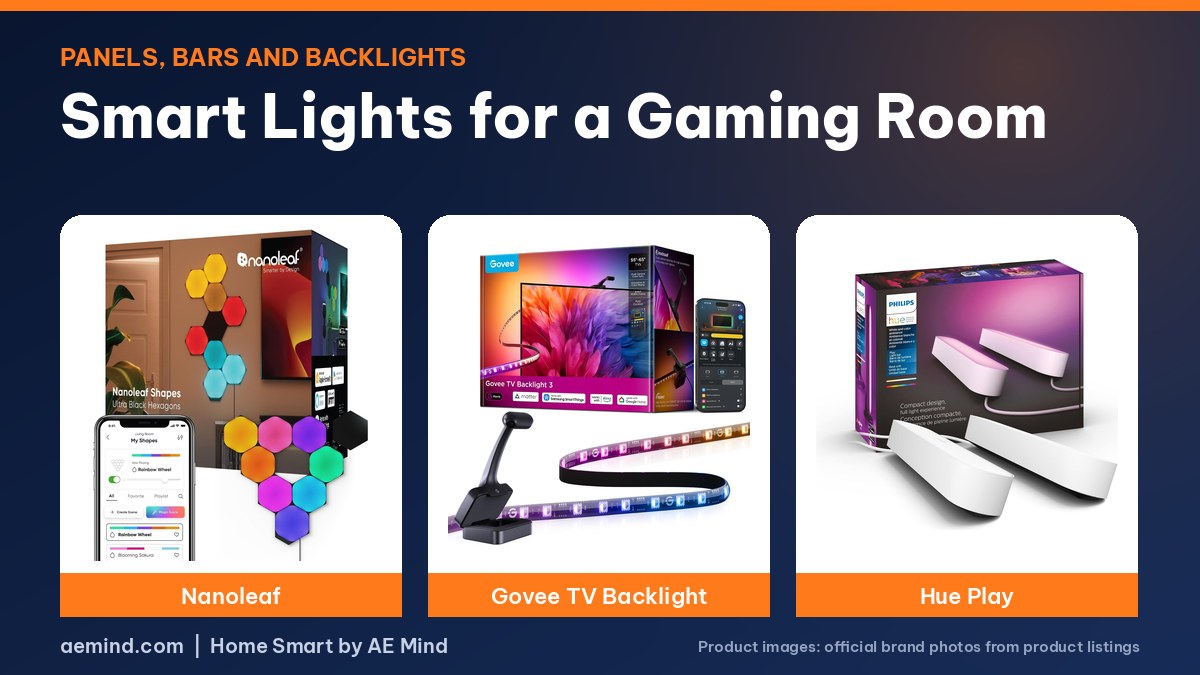
The best smart lights for a gaming room on a budget are camera-based TV backlights like Govee’s, which cost a fraction of an HDMI sync setup, according to Automate Your Life, a smart home channel that priced Govee’s TV Backlight 3 at $110 against $748 for a full Philips Hue TV sync kit.
For the wall behind your desk, modular panels set the look. Tech Tesseract, a channel that has owned both brands’ panels since launch, found Nanoleaf’s hexagons easier to install, while Govee’s can show several colors per panel.
Smart lights for a gaming room: Quick Picks
Prices checked on Amazon Oct 16, 2026. I may earn a commission from links, at no cost to you.
| Light | Price | Why it fits | Link |
|---|---|---|---|
| Govee TV Backlight 3 (55–65”) | $109.99 | Camera reads your screen and drives the strip; no hub needed | Check price |
| Nanoleaf Shapes Hexagons 9-Pack | $169.99 | Wall panels that react to music and mirror your screen (listed) | Check price |
| Philips Hue Play Light Bar 2-Pack | $189.99 | Two light bars to put behind a monitor or TV; needs a Hue Bridge | Check price |
| Philips Hue Play Gradient 55” TV Light Strip | $139.99 | Hue’s flowing-gradient TV strip; needs a Hue Bridge and Sync Box to sync | Check price |
Screen sync: camera vs HDMI box
A camera-based kit like the Govee TV Backlight 3 watches your screen from the top of the TV. Govee lists a dual 4MP lens, 24 color zones and a 60-LED-per-meter strip. Automate Your Life says gamers who want lossless sync should look at Govee’s AI Sync Box 2, which passes through 4K at 144Hz with VRR and ALLM.
Hue’s gradient strips need the Hue Sync Box and a bridge to sync. Automate Your Life credits Hue with better color accuracy and blending, but says the price gap is hard to justify for backlighting.
Wall panels for a gaming room: Nanoleaf vs Govee
Tech Tesseract compared Nanoleaf’s Shapes hexagons with Govee’s Glide hexagons. Nanoleaf’s panels are about 63% larger, so price per square inch is closer than the sticker suggests. Nanoleaf panels can go up in any order and detect the layout automatically, while Govee’s must follow the order the app gives you. Govee’s RGBIC panels can show gradients across a single panel; Nanoleaf shows one color per panel.
Smart lights for a gaming room: setup tips
- Put bars or a strip behind the screen to cut eye strain from a bright display in a dark room; Philips lists the Play bars for exactly this.
- Use music sync for streams and parties. Automate Your Life says Govee’s audio sync is the best it has used.
- Keep a warm white scene for after gaming. See Smart Lights for Sleep.
What YouTube Reviewers Found With Gaming Lights
These points are paraphrased from the video transcripts and credited to each creator. They are the creators’ own findings and opinions, not mine.
- Automate Your Life: Govee’s TV Backlight 3 is “the whole thing” for $110 at filming: camera on top, strip included.
- Automate Your Life: Hue’s 65-inch sync setup totaled $748 with strip, Sync Box and Bridge.
- Tech Tesseract: Nanoleaf’s app has an Explore page of user-made scenes; Govee’s app is simpler to navigate.
- Tech Tesseract: Govee’s flexible connectors let a design wrap across two walls; Nanoleaf sells flexible connectors separately.
Frequently Asked Questions
What are the best smart lights for gaming?
For TV or monitor sync on a budget, a camera kit like the Govee TV Backlight 3. For wall art, Nanoleaf or Govee panels. For Hue homes, Hue Play bars.
Do Nanoleaf panels sync with games?
Nanoleaf lists a screen mirror mode that reflects your screen’s colors on the panels.
Do Hue Play bars need a bridge?
Yes. Philips lists a Hue Bridge as required.
Is Govee or Nanoleaf better for a gaming room?
Tech Tesseract preferred Nanoleaf’s install and Govee’s simpler app and multi-color panels.
Sources
- Amazon product listings for the products linked above, checked October 16, 2026
- Tech Tesseract: “Govee vs Nanoleaf Hexagons – Which are Right for You?”
- Automate Your Life: “Philips Hue vs Govee vs Ikea vs Lutron – Which is The Best Smart Lighting?”
Related: Govee vs Philips Hue | Best Smart Lighting System | Smart Lights for Sleep
Notes and disclosure
Note: Prices come from Amazon listings checked on October 16, 2026. Prices change often, so check the current listing. Specs are the manufacturers’ listed numbers unless a reviewer is credited. Test results and opinions quoted above come from the YouTube reviewers and sites credited in each section; prices those reviewers mention are as of their videos. I have not tested these products myself yet.
Affiliate Disclosure: If you purchase an item through the links on this page, I may receive a commission, at no additional cost to you. Thank you for supporting the channel.