
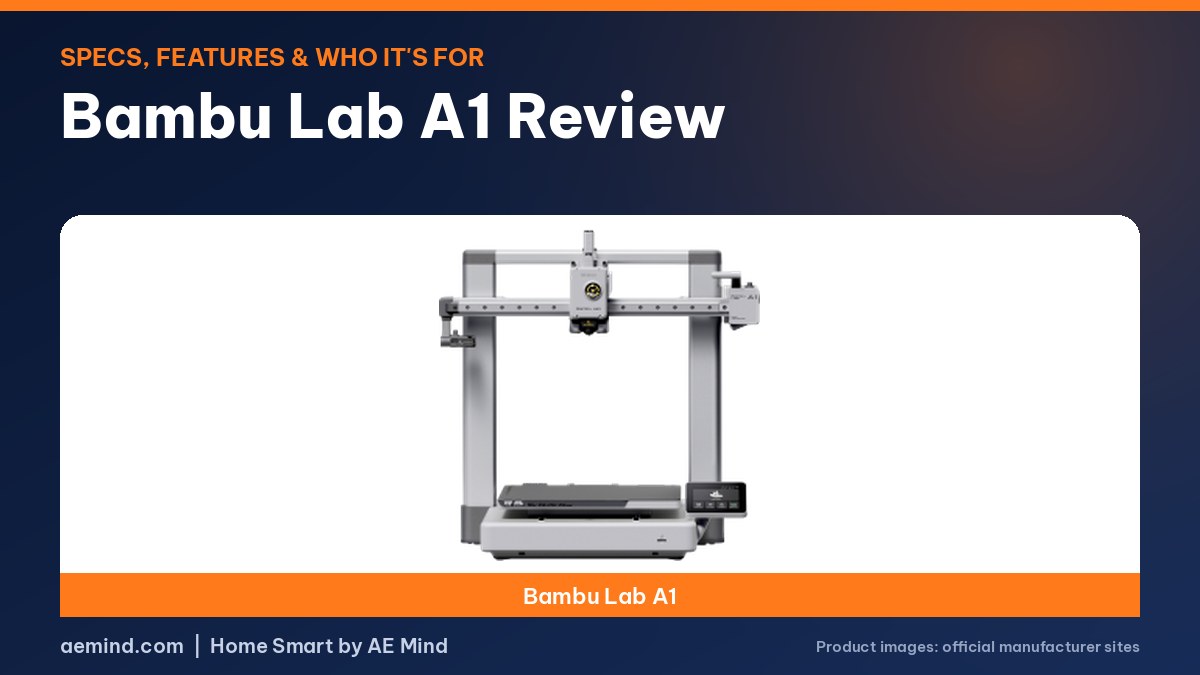
The Bambu Lab A1 is a full-size beginner 3D printer that, in this Bambu Lab A1 review, stands out for one reason: it prints at the same 256 mm build size as Bambu’s pricier CoreXY machines for $299.99 (Amazon listing, Oct 16, 2026). It ranked #4 in Amazon Best Sellers in 3D Printers that day.
After months of use, its print quality came close to the far more expensive X1 Carbon, according to Mark Spurrell, a YouTuber who published a long-term A1 review. CNC Kitchen, a YouTube channel that tests 3D printing hardware, had it running in under half an hour despite a few extra assembly steps.
Multicolor printing costs extra. It needs the AMS lite, sold with the A1 Combo or on its own.
Bambu Lab A1 Review: Key Specs
Prices from Amazon at time of writing. I may earn a commission from links, at no cost to you.
| Spec | Bambu Lab A1 |
|---|---|
| Price | $299.99 |
| Amazon Best Seller rank | #4 in 3D Printers |
| Build volume | 256 × 256 × 256 mm |
| Speed (listed) | 500 mm/s max speed, 10,000 mm/s² acceleration |
| Buy | Check price |
What Stands Out on the A1
- Full-auto calibration (Z-offset, bed leveling and more)
- Active flow rate compensation
- 1-clip quick-swap nozzle
- Active motor noise canceling
- Multicolor needs the AMS lite (sold as the A1 Combo or separately)
The A1 is sold as a single-color printer. For multicolor printing you need the AMS lite, which is sold as the A1 Combo or separately. Bambu lists the A1 as ready to use, and it works with Bambu Studio, the Bambu Handy app and MakerWorld models. You can see the current price on the Bambu Lab A1 Amazon listing.
Pros and Cons (From the Listing and Spec Sheet)
- Pro: Full-auto calibration means less manual leveling for beginners.
- Pro: 256 mm cube build volume, larger than the A1 mini’s 180 mm.
- Pro: Active motor noise canceling, aimed at home use.
- Con: Multicolor costs extra (AMS lite).
- Con: Open frame, not enclosed. The enclosed P1S lists ABS and ASA as ideal filaments.
How This Review Was Researched
The details on this page come from the Bambu Lab A1 official page, Mark Spurrell, CNC Kitchen and 3D Print Dood, plus the Amazon listings linked above. I have not tested this product myself, so each finding is credited to the source that reported it.
Who Should Buy the Bambu Lab A1?
The A1 fits beginners and families who want a full-size print area without paying for an enclosure. If you want a smaller, cheaper printer, look at the A1 mini. If you want to print ABS or ASA or need an enclosure, look at the P1S Combo.
What YouTube Reviewers Found About the Bambu Lab A1
Here is what independent YouTube reviewers reported. These are their findings, paraphrased and linked so you can watch the full videos. Prices they mention were current when each video was made.
- The A1 matches the 256 mm build size of Bambu’s CoreXY printers, roughly three times the volume of the A1 mini, so build plates from the P1 and X1 series fit it (CNC Kitchen, “Bambu Lab A1 Review: Game-Changer or Hype?”).
- Setup takes a bit more work than other Bambu printers because you bolt the Z-axis to the base, but the reviewer still had it running in under half an hour (CNC Kitchen, “Bambu Lab A1 Review: Game-Changer or Hype?”).
- Its purge and filament-cut design is more efficient and avoids the no-print zones on the P1 and X1 beds (CNC Kitchen, “Bambu Lab A1 Review: Game-Changer or Hype?”).
- After months of use, print quality was close to the much pricier X1 Carbon. One limit is the built-in camera: the live feed in the app ran at about one frame per second or less (Mark Spurrell, “Bambu Lab A1: Long Term Review in Under 5 Minutes!”).
- The purge chute shoots waste out the side, and a catch bin fills up fast (Mark Spurrell, “Bambu Lab A1: Long Term Review in Under 5 Minutes!”).
- One reviewer was printing within about 30 minutes of unboxing. The open frame means dust is something to watch (3D Print Dood, “Watch this BEFORE getting the Bambu Lab A1”).
Video: CNC Kitchen, “Bambu Lab A1 Review: Game-Changer or Hype?”
Frequently Asked Questions
Is the Bambu Lab A1 good for beginners?
Amazon lists it as a “Ready-to-Use FDM 3D Printer for Beginners and Kids”, and it has full-auto calibration, which removes the most common beginner setup step.
Does the Bambu Lab A1 print in multiple colors?
Yes, with the AMS lite. The A1 by itself prints one color. The A1 Combo includes the AMS lite.
What is the Bambu Lab A1 build volume?
256 × 256 × 256 mm, according to the Amazon listing’s comparison chart.
Is the A1 enclosed?
No. If you need an enclosure, the P1S is Bambu’s enclosed option in this price range.
Sources
- Amazon listing: Bambu Lab A1
- Amazon listing: Bambu Lab A1 mini
- Amazon listing: Bambu Lab P1S Combo
- Amazon Best Sellers in 3D Printers (snapshot Oct 16, 2026)
- Bambu Lab A1 official page
Related: Bambu Lab A1 vs P1S | Bambu Lab A1 vs A1 mini | Best 3D Printer for Beginners
Notes and disclosure
Note: Specs and prices below come from Amazon listings and Amazon Best Sellers in 3D Printers at time of writing. Prices and ranks change often, so check the current listing.