
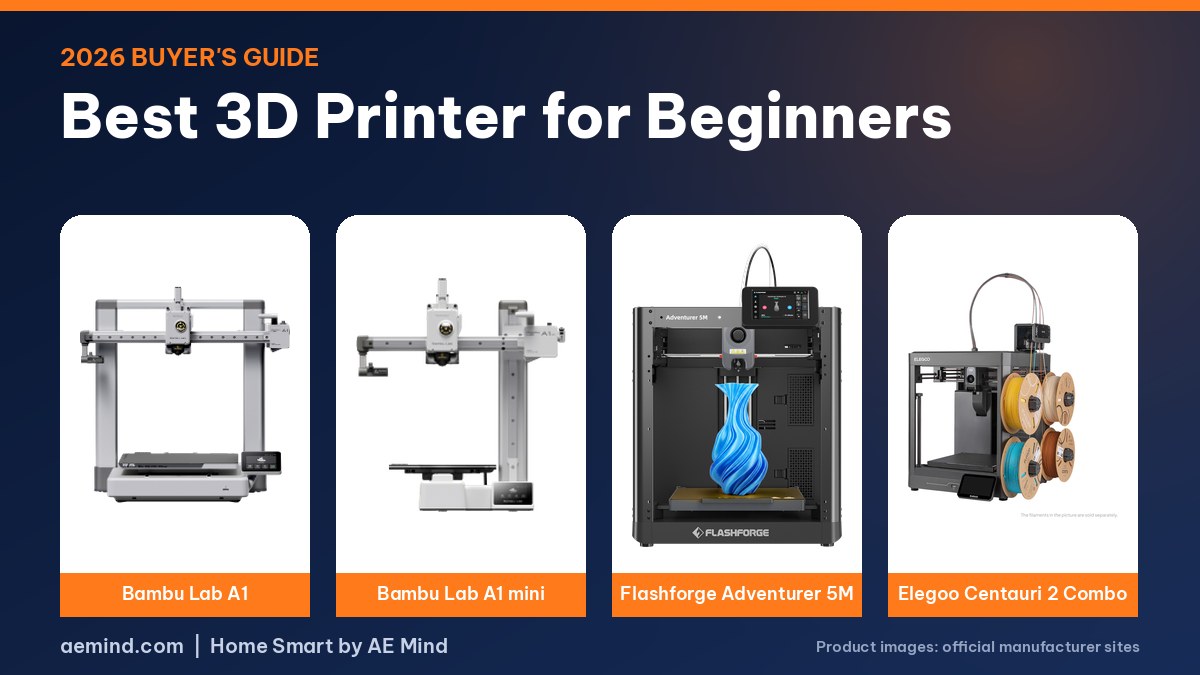
The easiest 3D printer for a beginner to set up and learn is the $299.99 Bambu Lab A1, which runs Z-offset, bed-leveling, vibration and nozzle-pressure calibration on its own before every print, according to Bambu Lab’s product page. It was listed at that price.
The learning curve is mostly software, not hardware. Parents and new owners most often get stuck learning slicer software on a computer, according to 3D Print Dood, a YouTube channel that tests and recommends printers. The channel calls Bambu Lab’s phone-to-printer ecosystem the easiest to learn on.
This guide ranks four Amazon-listed printers by how quickly a first-time owner can get from the box to a finished print: the Bambu Lab A1, the smaller A1 mini, the $249 Flashforge Adventurer 5M and the $328.99 Elegoo Centauri 2 Combo for buyers who want four colors from day one.
This post contains Amazon affiliate links. If you buy through them, I may earn a commission at no extra cost to you.
Best 3D printer for beginners: setup and learning comparison
Prices from Amazon at time of writing. I may earn a commission from links, at no cost to you.
| Spec | Bambu Lab A1 | Bambu Lab A1 mini | Flashforge Adventurer 5M | Elegoo Centauri 2 Combo |
|---|---|---|---|---|
| Price | $299.99 | $249.00 (with LED Lamp Kit) | $249.00 | $328.99 |
| Calibration (maker) | Full auto: Z-offset, bed level, X/Y resonance, pressure advance | Automatic calibration (Bambu Lab) | One-click auto leveling (ADM) | Full auto calibration, auto Z-offset |
| Setup (maker) | Touchscreen walks you through setup | 2.4-inch touchscreen; same Bambu app | 95% pre-assembled; 10 minutes or less | “Print right out of the box” |
| Slicer and app | Bambu Studio, Bambu Handy app, MakerWorld | Bambu Studio, Bambu Handy app, MakerWorld | FlashPrint 5, Orca-Flashforge, FlashMaker app | ELEGOO Slicer, ELEGOO Matrix app |
| Build volume | 256 × 256 × 256 mm | 180 × 180 × 180 mm | 220 × 220 × 220 mm | 256 × 256 × 256 mm |
| Colors out of the box | 1 (AMS lite add-on for 4) | 1 (AMS lite add-on for 4) | 1 | 4 (CANVAS included) |
| Buy | Check price | Check price | Check price | Check price |
Bambu Lab A1: Easiest to learn overall
The A1 is the pick for a beginner who wants the printer to handle tuning. Bambu Lab says it calibrates Z-offset, bed level, vibration resonance and nozzle pressure “for every print job, automatically,” probing the bed with the nozzle so no paper test is needed. It also checks belt tension through a vibration test and tells you when to adjust it. $299.99. See the Bambu Lab A1 on Amazon.
- 256 × 256 × 256 mm build volume; 500 mm/s top speed (Bambu Lab specs)
- One-touch filament load and unload; one-clip quick-swap hotend
- PLA, PETG, TPU and PVA listed as ideal; ABS and ASA not recommended
- LAN mode for printing without the cloud
- Four-color printing needs the AMS lite, sold separately or as the A1 Combo
A long-term owner found the A1 close to the pricier X1 Carbon in print quality and “set it and forget it” to run, with a nozzle wiper and purge chute that help it start clean (Mark Spurrell, Bambu Lab A1 review).
Bambu Lab A1 mini: Easiest starter for small prints
The A1 mini uses the same calibration and software as the A1 in a 180 mm cube, 347 × 315 × 365 mm frame and 5.5 kg body, per Bambu Lab’s specs. 3D Print Dood says most beginner prints are small, so the mini is often enough, and calls it one of the cheapest ways into the hobby “without feeling like you bought a cheap 3D printer” (3D Print Dood, “The 4 BEST Budget 3D Printers – Find the Right One for YOU!”). $249.00 in a bundle with an LED Lamp Kit. See the Bambu Lab A1 mini on Amazon.
- 180 × 180 × 180 mm build volume
- Bed heats to 80 °C (the A1 reaches 100 °C)
- 150 W maximum power draw
- Find a model on MakerWorld, send it from the phone app, print
Flashforge Adventurer 5M: Fastest unboxing
Flashforge says the Adventurer 5M ships 95% pre-assembled, with only the display and filament holder to install, and lists setup at 10 minutes or less. Its Automatic Datum Management system handles leveling, and nozzles swap in about three seconds without tools. $249.00. See the Flashforge Adventurer 5M on Amazon.
- 220 × 220 × 220 mm build volume
- CoreXY all-metal frame; 600 mm/s max travel speed
- 280 °C direct-drive extruder; heats to 200 °C in about 35 seconds (Flashforge)
- PLA and PETG recommended; Flashforge says ABS is not compatible
- Wi-Fi, Ethernet and USB; FlashMaker app for phones
Elegoo Centauri 2 Combo: Easiest way to start in four colors
The Centauri 2 Combo bundles Elegoo’s CANVAS four-color system with RFID filament recognition, auto refill and tangle detection, per Elegoo. It is an open-frame CoreXY printer; an enclosure, camera and lights are optional add-ons. Tom’s Hardware called the CANVAS system “pretty much bulletproof” and the user interface well designed. $328.99. See the Elegoo Centauri 2 Combo on Amazon.
- 256 × 256 × 256 mm build volume
- 350 °C hotend and 110 °C bed (Elegoo)
- Auto Z-offset, vibration compensation and pressure-advance calibration
- Open frame: best suited to PLA, PETG and TPU without an enclosure
A mini assembled option: Entina Tina2C
If your beginner priority is “plug in and print today” rather than a large bed, the Entina Tina2C is worth a look beside the A1 and Adventurer picks above. It ships assembled, connects to the Poloprint app over Wi-Fi, and auto-levels before the first job. In my own setup I was printing within a few minutes and later ran the machine off a Bluetti power station, which underscores how little setup friction a true beginner machine can have. The trade-off is a 100 mm cube, so it suits keychains and small gifts rather than big models. I cover that first session in my best 3D printer for kids hands-on notes, with full specs in the Entina Tina2C review.
How Beginners Actually Get Started
Every printer here follows the same basic workflow. You load a model, pick a filament profile and press slice, and the software turns the model into layer-by-layer instructions, as a young first-time owner explained on FauxHammer, a YouTube channel run by a parent who reviews printers. Her advice, passed on from her father: leave the default settings alone at first, because “they exist for a reason.” Snapmaker sponsored FauxHammer’s video.
Phone-based printing removes the computer step. On Bambu printers you can find a model in MakerWorld, send it from your phone and start printing, 3D Print Dood reported (3D Print Dood, “The 4 BEST Budget 3D Printers – Find the Right One for YOU!”). Flashforge offers the FlashMaker app, and Elegoo offers its Matrix app.
Start with PLA. Bambu Lab, Flashforge and Elegoo all list PLA as a core material, and Shop Nation, a channel that runs a print farm of about 60 machines, calls it common, easy to use and perfect for beginners. On a first print, expect the printer to level the bed, clean the nozzle and calibrate before it lays down plastic.
What to Look For as a Beginner
- Automatic calibration. Look for auto leveling and auto Z-offset at minimum. The A1 series and Centauri 2 Combo add resonance and pressure-advance calibration.
- Short setup. Flashforge lists 10 minutes for the Adventurer 5M; Elegoo says the Centauri 2 prints right out of the box.
- A phone app and model library. This matters more than top speed for most first-time owners, according to 3D Print Dood.
- Room to grow. The A1 and A1 mini can add the AMS lite for four colors later; the Centauri 2 Combo includes four colors now.
- The right size. A 180 mm bed handles most small prints. Larger models can be printed in pieces and glued, 3D Print Dood said.
Should a Beginner Buy Multicolor?
It is optional. 3D Print Dood says most shared-nozzle multicolor printers create a lot of purge waste and suggests single-color printing plus painting or gluing parts as an alternative (3D Print Dood, “The BEST 3D Printer for YOU – Don’t Buy the Wrong One!”). The same reviewer added that some people love multicolor printing, so it can be worth having if you want it. A beginner who is unsure can start with the A1 and add the AMS lite later.
How These Picks Were Chosen
I have not tested these printers myself. Specs come from Bambu Lab, Flashforge and Elegoo product and spec pages, prices from Amazon listings at time of writing, and hands-on findings from the reviewers credited in each section.
What Reviewers Found About Beginner Printers
- Most beginner prints are small, so the A1 mini is often enough (3D Print Dood, “The BEST 3D Printer for YOU – Don’t Buy the Wrong One!”).
- Bambu Lab printers are the easiest to learn on because you can print directly from your phone (3D Print Dood, “The BEST 3D Printer for YOU – Don’t Buy the Wrong One!”).
- Printers once required owners to become experts at setup and calibration; current machines level and calibrate themselves before printing (Shop Nation, “The 3D Printer I’d Buy if I Started Today (2026)”).
- The A1 is easy to run and close to the X1 Carbon in print quality (Mark Spurrell, Bambu Lab A1 review).
Video: 3D Print Dood, “The BEST 3D Printer for YOU – Don’t Buy the Wrong One!”
Frequently Asked Questions
What is the easiest 3D printer for a beginner?
Among these picks, the Bambu Lab A1 automates the most calibration steps, per Bambu Lab. The Flashforge Adventurer 5M lists the shortest setup, at 10 minutes or less.
How much should a beginner spend?
The picks here ranged from $249 to $328.99.
Do I need a computer to 3D print?
Not always. Bambu Lab, Flashforge and Elegoo all offer phone apps. A computer slicer gives more control once you learn the basics.
What filament should a beginner use?
PLA. All four printers list it as a core material.
Sources
- Amazon listing: Bambu Lab A1
- Amazon listing: Bambu Lab A1 mini
- Amazon listing: Flashforge Adventurer 5M
- Amazon listing: Elegoo Centauri 2 Combo
- Bambu Lab A1 tech specs
- Bambu Lab A1 mini tech specs
- Flashforge Adventurer 5M product page
- ELEGOO Wiki: Centauri 2 series
- Tom’s Hardware: Elegoo Centauri 2 Combo review
Related: Best 3D Printer for Kids | Best 3D Printer for Home Use | Best 3D Printer Under $500
Notes and disclosure
Note: Prices come from Amazon listings at time of writing. Specs come from the manufacturers’ pages linked above. Prices change often, so check the current listing.