
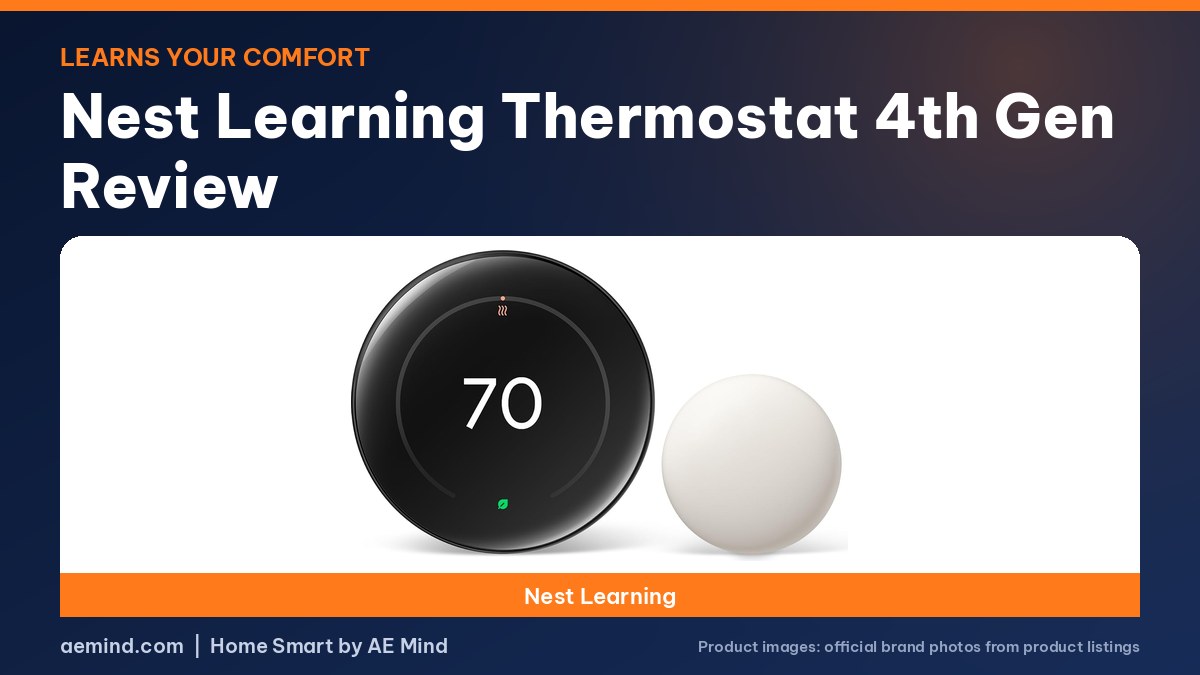
This Nest Learning Thermostat 4th gen review finds Google’s first flagship update in nine years an excellent choice for people who want a thermostat that learns their preferences, as 6 Months Later, a YouTube channel that reviews products after long-term use, concluded after half a year of use.
Eric Welander, a YouTube smart-home creator and Apple-platform app developer, called it a great upgrade for anyone who wants Nest inside Apple Home or another platform through Matter. Here is what reviewers found, with Amazon prices checked October 16, 2026.
Nest Learning Thermostat 4th gen review: versions and prices
Prices checked on Amazon Oct 16, 2026. I may earn a commission from links, at no cost to you.
| Google Nest Learning Thermostat (4th gen) | Google Nest Learning Thermostat Pro Edition | ecobee Smart Thermostat Premium | |
|---|---|---|---|
| C-wire | Not required in most homes (listed) | See listing | Power Extender Kit included (listed) |
| Room sensor | Temperature sensor included (listed) | Temperature sensor included (listed) | SmartSensor included (listed) |
| Savings claim | Up to 31% (listed) | See listing | Up to 26% (listed) |
| Notable | Matter; Dynamic Farsight; 60% larger display (listed) | For professional installation; dual-fuel and zoned systems (listed) | Air quality monitor; Siri and Alexa built in; 95% of systems (listed) |
| Buy | Check price | Check price | Check price |
What’s new
The Google Nest Learning Thermostat (4th gen) adds Matter support, a 60% larger display with Dynamic Farsight, a temperature sensor in the box and a Suggestions mode for its learning schedule, Google says. It works with most 24-volt systems, including gas, electric, oil, forced air, heat pump and radiant, and Google says no C-wire is required in most homes. Google claims savings of up to 31% on heating and cooling bills. The Google Nest Learning Thermostat Pro Edition is a version designed for professional installation with dual-fuel, geothermal and zoned systems.
Design and Farsight
6 Months Later called it probably the best-looking thermostat on the market, with better-hidden bezels than the previous model. Dynamic Farsight uses Google’s Soli radar to show basic information from a distance and more detail as you approach; you can choose temperature, weather or an analog or digital clock. Because his thermostat is near the front door, he found himself glancing at the live weather before heading out. Eric Welander said the screen is big and easy to read from farther away and that it looks less like electronics on the wall. It comes in silver, obsidian and gold finishes, Smart Home Solver said.
Controls
You turn the metal outer ring to change the temperature and press the display to select. Eric Welander praised the ring’s tactile feedback, noting it is a real rotating metal piece. 6 Months Later said pressing the screen takes some getting used to since it is not a touchscreen, and Smart Home Solver, a YouTube smart-home reviewer, said it is just as fast as a touchscreen for quick temperature changes.
Learning and Suggestions
The smart schedule learns from your adjustments along with outdoor temperature, humidity, time of day and weather, 6 Months Later explained. Two months in, it notified him that it had shifted his daytime cooling comfort temperature from 74°F to 72°F. You can choose full learning, Suggestions, where it asks before changing your schedule, or off. Smart Home Solver called Suggestions the best of both worlds. You can also set Comfort, Sleep, Eco and custom temperatures on a schedule, and reset learned data in settings.
Temperature sensors
One sensor comes in the box, and 6 Months Later priced a three-pack at $99. You can average all sensors, use specific ones at certain times, or ignore them. Eric Welander said you can pair up to six per thermostat and 18 across a home, that older Nest sensors still work and hang on the same hooks, and that his Bluetooth-connected sensors have been rock solid for years. He noted the sensors appear in Google Home rather than other Matter platforms.
Matter and smart-home control
With Matter, you can add the thermostat to Apple Home or Home Assistant by scanning a QR code from its settings, 6 Months Later said, and it works really well. Eric Welander found response times very fast in Apple Home and used Siri to control it. Both note initial setup happens in the Google Home app with a Google account. Google lists voice control through Alexa, Siri or Google Assistant smart speakers.
Energy features
- Leaves and Energy Dashboard: a green leaf shows when you are saving, and monthly email roundups summarize use, 6 Months Later said.
- Nest Renew: a free service that shows when grid power is cleaner and lets you set off-peak hours.
- Airwave: shuts off the compressor at the right time and uses the fan to spread remaining cool air.
- Sun compensation: adjusts for direct sunlight warming the sensors.
- Humidity Helper: can push temperatures slightly lower to help reduce humidity.
Setup
6 Months Later said installation took him about 40 minutes, including filming, and recommended a cordless drill. Eric Welander said Nest and ecobee set the gold standard in their apps for walking you through wiring scenarios, and the box includes a base plate, optional trim plate and mounting bracket. For C-wire questions, see Smart Thermostat Without a C-Wire.
Did it save money?
6 Months Later said he could not prove savings against the ecobee he used before, because he was away part of one month and winter weather differed year to year, but he said that compared with a regular or programmable thermostat, the Nest would have saved him money. He added that its away-from-home detection got faster after software updates, now taking about 15 minutes using phone location.
Verdict
6 Months Later recommends it: the learning, automatic away mode, Matter support and whole-home sensor averaging have been worth it, and he could not be happier six months in. Smart Home Solver preferred the ecobee Premium for its screen, occupancy sensors and integrations; see Ecobee vs Nest Thermostat.

Video: 6 Months Later: “Google Nest Learning Thermostat (4th Gen) Review – 6 Months Later”. Embedded with credit; the findings are the creator’s own.

Video: Eric Welander: “Is the new Nest Learning Thermostat worth the upgrade?”. Embedded with credit; the findings are the creator’s own.
Frequently Asked Questions
Is the Nest Learning Thermostat 4th gen worth it?
6 Months Later recommends it as an excellent choice after six months, citing learning, away mode and Matter.
Does the 4th gen Nest need a C-wire?
Google says no C-wire is needed in most homes.
Does the Nest 4th gen work with Apple Home?
Yes, through Matter after setup in the Google Home app; Eric Welander found it fast and reliable.
How many sensors can the Nest 4th gen use?
Up to six per thermostat, Eric Welander said; one is included.
How long does installation take?
About 40 minutes for 6 Months Later, including filming.
Sources
- Amazon product listings for the products linked above, checked October 16, 2026
- 6 Months Later: “Google Nest Learning Thermostat (4th Gen) Review – 6 Months Later”
- Eric Welander: “Is the new Nest Learning Thermostat worth the upgrade?”
- Smart Home Solver: “Nest vs Ecobee! The BEST Smart Thermostat is…”
Related: Best Smart Thermostat | Ecobee vs Nest Thermostat | Ecobee Premium vs Enhanced | Smart Thermostat Without a C-Wire
Notes and disclosure
Note: Prices come from Amazon listings checked on October 16, 2026. Prices change often, so check the current listing. Energy-savings percentages are the manufacturers’ claims under their stated conditions; your savings depend on climate, equipment and habits. Check compatibility with each maker’s online checker before buying, and turn off power at the breaker before changing thermostat wiring. Test results and tips quoted above come from the YouTube creators credited in each section; they are their findings, not hands-on claims from me.
Affiliate Disclosure: If you purchase an item through the links on this page, I may receive a commission, at no additional cost to you. Thank you for supporting the channel.