
A labeled home is an organized home. Spice jars, pantry bins, storage boxes, cables, and chargers all get easier to find when everything has a clean label on it. The problem is that old-school label makers are bulky, need special cartridges, and are a pain to type on.
I tried the ORGBRO X1 Label Maker, a tiny Bluetooth label printer you control from your phone. This video was originally posted on my Ryzzun YouTube channel.
In this ORGBRO X1 review, I’ll cover what it is, the specs, the key features, how I set it up and used it, the pros and cons, who it’s for, and some common questions.
Products Used in My ORGBRO X1 Video
👉 ORGBRO X1 Bluetooth Label Maker
For business inquiries and collaborations: luisangel@aemind.com
Affiliate Disclosure: I was sent this product by the manufacturer to review. If you purchase an item through the links provided, I may receive a commission, at no additional cost to you. Thank you for supporting the channel.
What Is the ORGBRO X1 Label Maker?
The ORGBRO X1 is a compact thermal label printer that connects to your phone over Bluetooth. Instead of typing on a tiny keyboard, you design labels in the free XeasyLabel app and send them to the printer.
Because it uses thermal printing, there’s no ink or toner. The heat from the print head creates the text and graphics directly on the label paper. ORGBRO says it’s about half the weight and size of a traditional label maker, and it’s small enough to run with one hand.
ORGBRO X1 Specs
From the Amazon listing:
- Model: ORGBRO X1
- Print type: thermal, monochrome (black), no ink or toner
- Resolution: 203 x 203 DPI
- Connectivity: Bluetooth
- App: XeasyLabel, free for iOS and Android, no registration or payment
- App content: 15+ languages, 95 fonts, and 550+ design materials, per ORGBRO
- Prints: text, numbers, symbols, icons, logos, barcodes, and QR codes
- Battery: 2000mAh rechargeable
- Charging: USB Type-C
- Label sizes: 12 x 40 mm pre-cut labels and 15 mm continuous rolls
- Size: about 1.2″ x 3″ x 4.2″
- Weight: about 7 ounces
- In the box: the label maker, a roll of white labels, a Type-C charging cable, and a user manual
Key Features
- Phone-based design: no tiny keyboard, just your phone screen
- No signup or subscription for the app
- Huge template library: fonts, icons, symbols, and small images
- Barcodes and QR codes for inventory or quick links
- Inkless thermal printing, so there are no cartridges to buy
- Long-lasting rechargeable battery
- Durable labels: ORGBRO says they’re waterproof, oil resistant, and abrasion resistant, and peel off with no residue
How I Used It
Setup
It connected to my phone quickly through the app. No signups or subscriptions are needed, and within about a minute I was ready to print.
Designing Labels
The app gives you tons of options. You can pick from over 95 fonts and add icons, symbols, or small images to make labels look professional. It’s a lot easier than typing letter by letter on a traditional label maker.
My Test
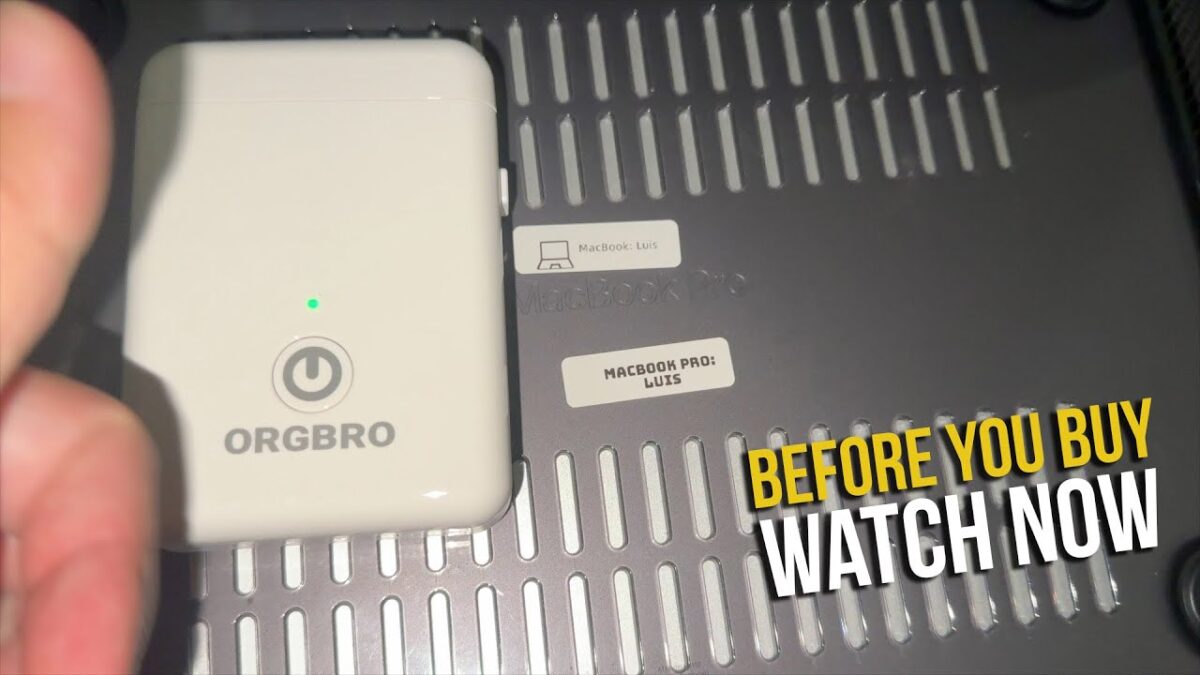
I made a label for my MacBook Pro and stuck it on the bottom. It printed clean and sharp, and it stuck perfectly.
Battery and Labels
It’s small and light, so it’s easy to grab and use anywhere. The built-in rechargeable battery lasts a long time per charge. The included pre-cut labels are waterproof and oil resistant, and they peel off without leaving a sticky residue.
Ideas for Using It Around the Home
ORGBRO lists a lot of uses, and these are the ones that make sense around the house:
- Spice jars, pantry containers, and date labels on food
- Storage bins, closets, and garage shelves
- Cables, chargers, switches, and remotes
- School supplies, name tags, and file folders
- Tool storage and small parts boxes
Things to Consider Before Buying
- Monochrome only: it prints in black, not color.
- You need your phone: everything is designed in the app.
- Label paper: ORGBRO recommends its own thermal label paper for the best print quality.
- Charge it first: the listing says to fully charge it before first use.
ORGBRO X1 Pros and Cons
Pros
- Fast Bluetooth setup with no account needed
- Lots of fonts, icons, and templates in a free app
- No ink or toner to replace
- Small, light, and easy to use one-handed
- Rechargeable battery with USB-C
- Clean, sharp prints that stuck well in my test
- Labels peel off without residue
Cons
- Black printing only
- Depends on your phone and the app
- Best results with ORGBRO’s own label paper
Who Is It For?
The ORGBRO X1 is a great fit for:
- Anyone getting their kitchen, pantry, or closets organized
- Home offices and small businesses
- Parents labeling school supplies
- People who hate the keyboards on traditional label makers
- Anyone who wants to label tech, cables, and chargers
Frequently Asked Questions
Does the ORGBRO X1 need ink?
No. It’s a thermal printer, so there’s no ink or toner.
What app does it use?
The free XeasyLabel app for iOS and Android. No registration or payment is required.
Can it print barcodes and QR codes?
Yes, according to ORGBRO, along with text, symbols, logos, and graphics.
How is it charged?
It has a built-in 2000mAh rechargeable battery that charges over USB Type-C.
What label sizes does it support?
12 x 40 mm pre-cut labels and 15 mm-wide continuous rolls.
Are the labels waterproof?
ORGBRO says they’re waterproof, oil resistant, and abrasion resistant, and they peel off without residue.
Does it print in color?
No, it prints in black only.
Final Verdict
The ORGBRO X1 Label Maker is a fun, simple way to get organized. Setup took about a minute, the app has more design options than I’ll ever need, and the labels came out clean and sharp. If you want a label maker you’ll actually use around the house, I’d recommend it.
Watch My ORGBRO X1 Review
In my video, I connect the ORGBRO X1 to my phone, design a label in the app, and stick it on my MacBook Pro. You can watch the full video on my YouTube channel, Ryzzun:
▶ ORGBRO Label Printer X1 – Wireless Bluetooth Thermal Label Maker for Home & Office
👉 ORGBRO X1 Bluetooth Label Maker
For business inquiries and collaborations: luisangel@aemind.com
I was sent this product by the manufacturer to review. If you purchase an item through the links provided, I may receive a commission. Thank you for supporting the channel.