
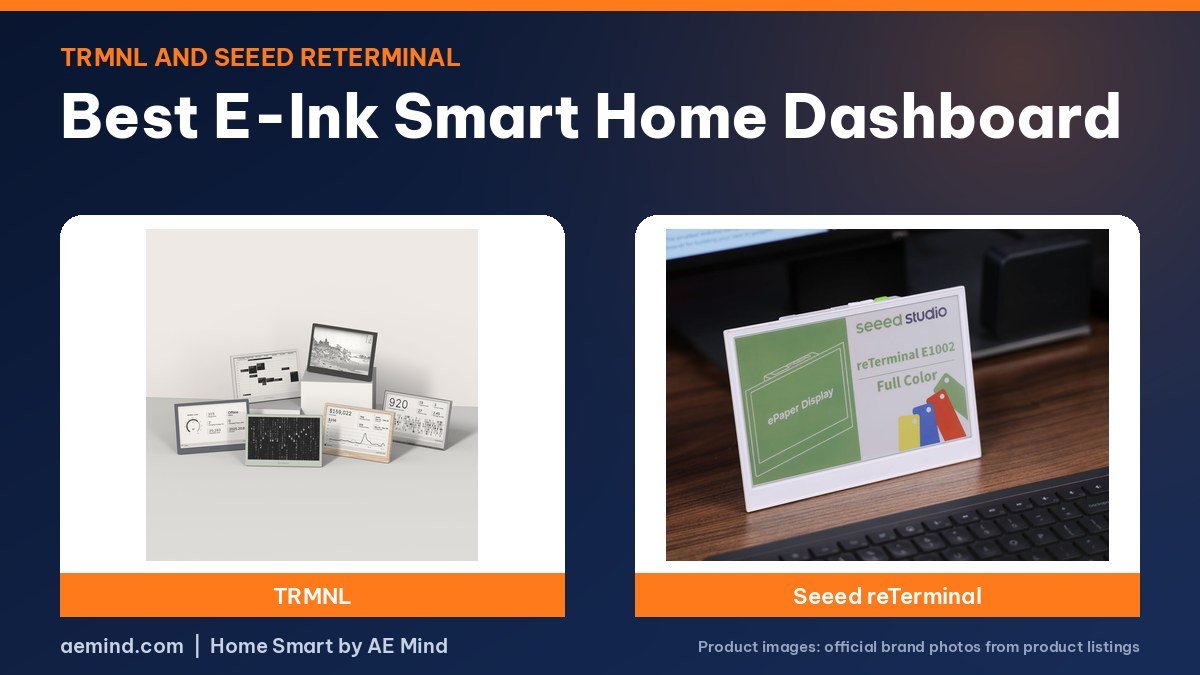
The best e-ink smart home dashboard for most people is the TRMNL, a battery-powered e-paper screen that Smart Home Solver, the YouTube channel run by Reed Kleinman, who has about 737,000 subscribers and covers practical home automation and Home Assistant, uses to show a snapshot of his Home Assistant dashboard for weeks or months between charges.
An e-paper dashboard shows your calendar, weather, door locks and sensors without a glowing tablet on the wall. Below are three options, what reviewers found, and prices checked October 21, 2026.
Best e-ink smart home dashboard: picks at a glance
Prices checked on Amazon Oct 21, 2026. I may earn a commission from links, at no cost to you.
| Display | Price (Oct 21, 2026) | Why it fits | Link |
|---|---|---|---|
| TRMNL (OG) | $139 (TRMNL) | Best for most: polished hardware, plugins, Home Assistant add-on | Official site |
| TRMNL X | $229 (TRMNL) | Bigger screen on the same TRMNL software | Official site |
| Seeed Studio reTerminal E1002 | $99 (Seeed) | Color e-paper for ESPHome and Home Assistant tinkerers | Official site |
Why an e-ink smart home dashboard
A wall tablet running a dashboard glows all day and needs a cable. E-paper reflects light like printed paper and only draws power when it refreshes, so a small panel can run on battery and be read in sunlight or a dim hallway. Snazzy Labs lists those as the main benefits: wide viewing angles, good visibility in any light, and power use only when the image changes. The trade-off is slow refreshes, so these screens suit information that changes every few minutes, not live camera feeds.
1. TRMNL: best e-ink smart home dashboard for most homes
The TRMNL (OG) is a 7.5-inch, 800 x 480 e-paper screen in a slim case with a picture hook and a kickstand. Snazzy Labs, the tech YouTube channel run by Quinn Nelson, bought one himself and called it his favorite new gadget. He explains that the device wakes at an interval you set, downloads a ready-made image from TRMNL’s server, shows it, and goes back to sleep. It also caches the last image and skips a refresh when nothing has changed, which saves battery. He reported about three months per charge, or about six months with a larger battery option.
Reed uses the TRMNL with Home Assistant. A TRMNL app in Home Assistant takes a snapshot of a custom dashboard he built, restyles it for e-paper, and sends it to the screen. His shows his weather station, door lock, battery levels and calendar. Because it uses so little power, he says, it can go weeks or months between charges and be placed anywhere.
2. TRMNL X: the bigger option
The TRMNL X runs the same software on a larger 10.3-inch screen, according to TRMNL. It suits a kitchen or hallway where people read the screen from farther away. Reviewers in this roundup used the original model, so check TRMNL’s site for current battery figures.
3. Seeed Studio reTerminal E1002: best color e-ink dashboard
The Seeed Studio reTerminal E1002 uses a 7.3-inch color E Ink Spectra 6 panel at 800 x 480, an ESP32-S3 chip, a 2,000 mAh battery and built-in temperature and humidity sensors, according to Seeed. It works with ESPHome and Home Assistant, Seeed’s SenseCraft HMI software, and TRMNL in monochrome mode. Seeed notes a full refresh takes about 15 to 20 seconds, and that deep sleep with infrequent updates helps battery life. Smart Home Australia, a YouTube channel covering Home Assistant projects, walks through a Home Assistant setup on Seeed’s e-paper display in the video below. Seeed’s black-and-white E1001 costs less if you do not need color.
TRMNL software and plugins
Snazzy Labs says most of the work happens in TRMNL’s web portal. Playlists let you rotate screens on a schedule, such as calendar and weather in the morning, and mashups tile several plugins on one screen so you refresh less often. TRMNL builds official plugins, such as Google Calendar, and says they will stay free; you can also add private and community plugins. Building your own plugins through TRMNL’s API costs a one-time fee, he reports, or you can run your own server for free.
How to choose an e-ink smart home dashboard
- Want it to just work? TRMNL’s hardware and plugins are the most polished, reviewers say.
- Want color? The Seeed reTerminal E1002 uses color e-paper.
- Home Assistant user? Both work: TRMNL through a screenshot add-on, Seeed through ESPHome.
- Privacy-minded? TRMNL’s firmware is open source and it supports bring-your-own-server setups, per Snazzy Labs.
E-ink smart home dashboard specs compared
| TRMNL (OG) | TRMNL X | Seeed Studio reTerminal E1002 | |
|---|---|---|---|
| Screen | 7.5-inch e-paper, 800 x 480, black and white | Larger 10.3-inch e-paper | 7.3-inch color E Ink Spectra 6, 800 x 480 |
| Battery | About 3 months; larger battery option about 6 months (per Snazzy Labs) | Battery; see TRMNL for current figures | 2,000 mAh battery |
| Home Assistant | Home Assistant screenshot add-on or webhooks | Same TRMNL software | ESPHome, Home Assistant, SenseCraft HMI; TRMNL in monochrome |
| Software | TRMNL cloud plugins or your own server | TRMNL cloud plugins or your own server | Open hardware on an ESP32-S3 |
| Subscription | None for TRMNL’s own plugins, per the company | None for TRMNL’s own plugins, per the company | None |
| Buy | Official site | Official site | Official site |
Video: Snazzy Labs: “This Open-Source E-Ink Screen Is My Favorite New Gadget”. Embedded with credit; the findings are the creator’s own.
Video: Smart Home Australia: “Seeed Studio ePaper Display with Home Assistant”. Embedded with credit; the findings are the creator’s own.
Frequently Asked Questions
What is the best e-ink smart home dashboard?
Reviewers point to the TRMNL for polished hardware and software. The Seeed reTerminal E1002 is the color option for ESPHome users.
Does an e-ink smart home dashboard work with Home Assistant?
Yes. Smart Home Solver uses a TRMNL app in Home Assistant that snapshots a dashboard and sends it to the screen.
How long does an e-ink dashboard battery last?
Snazzy Labs reported about three months on the TRMNL, or about six with the larger battery.
Does TRMNL need a subscription?
TRMNL says its own plugins are free. A one-time fee unlocks custom plugin development, according to Snazzy Labs.
Sources
- Amazon product listings for the products linked above, checked October 21, 2026
- TRMNL store, shop.trmnl.com, checked October 21, 2026
- Seeed Studio reTerminal E1002 documentation, wiki.seeedstudio.com
- Smart Home Solver: “15 Cool Smart Home Devices You’ll Actually Want in 2026!”
- Snazzy Labs: “This Open-Source E-Ink Screen Is My Favorite New Gadget”
- Smart Home Australia: “Seeed Studio ePaper Display with Home Assistant”
Related: TRMNL Review | How to Build an E-Ink Home Assistant Dashboard | Best E-Ink Picture Frame
Notes and disclosure
Note: Prices come from Amazon listings (or the maker’s own store where a product is not sold on Amazon) checked on October 21, 2026. Prices change often, so check the current listing. TRMNL devices are sold by TRMNL on its own store, not on Amazon, so their prices are the maker’s published prices. Screen, battery and refresh figures are the makers’ specs unless a reviewer is credited; Snazzy Labs reviewed an earlier TRMNL at an earlier price. Snazzy Labs said he bought his TRMNL with his own money and that the video was not sponsored; his description includes a TRMNL referral link. Smart Home Solver’s TRMNL segment appears in a roundup in which Roborock sponsored a separate portion. Test results and tips quoted above come from the YouTube creators credited in each section; they are their findings, not hands-on claims from me.
Affiliate Disclosure: If you purchase an item through the links on this page, I may receive a commission, at no additional cost to you. Thank you for supporting the channel.