
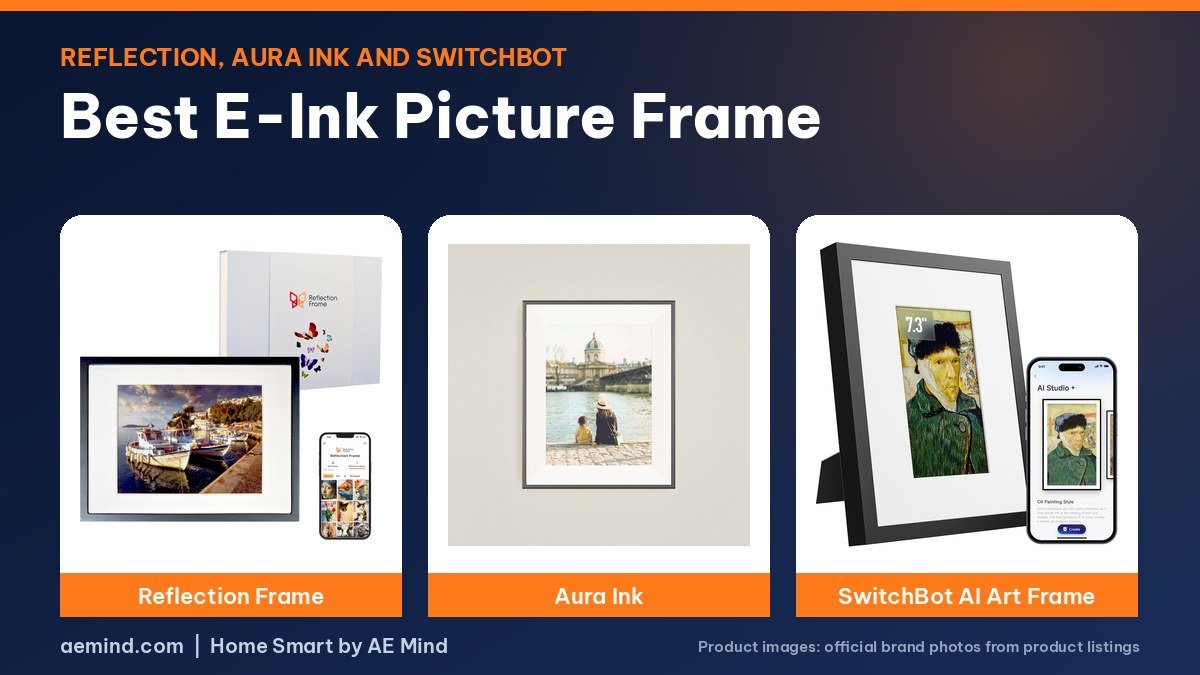
The best e-ink picture frame for color accuracy is the Reflection Frame, while the Aura Ink is the easiest to give as a gift, according to Smart Home Solver, the YouTube channel run by Reed Kleinman, who has about 737,000 subscribers and covers practical home automation, who compared three color e-paper frames side by side.
Color e-paper frames show photos without a glowing screen and can run for months on a charge, so you can hang them without a cord. Below are the frames reviewers covered, what they found, and prices checked October 21, 2026.
Best e-ink picture frame: picks at a glance
Prices checked on Amazon Oct 21, 2026. I may earn a commission from links, at no cost to you.
| Frame | Price (Oct 21, 2026) | Why it fits | Link |
|---|---|---|---|
| Reflection Frame 13.3″ | $349.99 | Most accurate color; simple tap-to-send, no Wi-Fi | Check price |
| Aura Ink | $499 (Aura) | Best gift: cloud uploads, front light, no subscription per Aura | Official site |
| SwitchBot AI Art Frame 13.3″ | $279.99 | Rotates 10 images; swappable IKEA frame; Home Assistant planned | Check price |
| SwitchBot AI Art Frame 7.3″ | $119.99 | Smallest, least expensive way into color e-paper | Check price |
Why choose an e-ink picture frame
Reed says his issue with regular digital frames is that they are another bright LED screen in a room already full of them. E-paper, the type of display in a Kindle, reflects light instead of glowing, and it only uses power when the picture changes. That is why these frames can hang on a wall with no cord and go months, or longer, between charges, he explains. The trade-off is color: color e-paper is still new, and reviewers found real differences in how each frame handles it.
1. Reflection Frame: best e-ink picture frame for color
The Reflection Frame 13.3″ is the simplest of the three. You pick a photo in the Reflection app, tap your phone on the corner of the frame, and the image transfers over Bluetooth after an NFC handshake. There is no Wi-Fi and no cloud. Smart Home Solver found its color the most accurate of the three, close to the original on his phone without odd blotches, and said it is the one he would buy for himself.
The limits come from that simplicity. It shows one picture at a time, you change it by hand with your phone nearby, and you cannot send photos remotely. Reflection offers several frame finishes, but Reed said it did not look like the frame could be swapped later.
2. Aura Ink: best e-ink picture frame as a gift
The Aura Ink is Aura’s first e-paper frame. It connects over Wi-Fi and syncs photos through the cloud, so family members can add pictures from anywhere and choose whether the picture changes daily, several times a day or stays put. Aura says storage is unlimited with no subscription. Its standout feature is a front light with an ambient light sensor and a motion sensor, so it lights the picture only when someone is nearby. Reed said his family preferred the Aura over the other two, and he thinks the light is why.
He found yellows weaker on the Aura than on the Reflection, with some blotchiness in skies. At $499 from Aura it is the most expensive, which is why he frames it as a gift siblings might split for a parent.
3. SwitchBot AI Art Frame: best for rotating art
The SwitchBot AI Art Frame 13.3″ sits between the other two. You send pictures from the SwitchBot app, the frame stores 10 images, and it can rotate them on a schedule. It fits IKEA RÖDALM frames, so you can change the look cheaply. Paul Hibbert, a UK smart home YouTuber who runs Hibbert Home Tech, said the matte, paper-like screen looks more like a print than a tablet, and that SwitchBot lists about two years of battery from a four-hour charge.
Both reviewers had reservations about photos. Reed’s prototype boosted saturation and contrast heavily, and Paul found colors leaned red, which he offset by lowering the color temperature setting. Paul thinks it shines with artwork rather than family photos. The AI art feature is a paid subscription, though you can upload your own images for free. SwitchBot also sells a {L(“SB7″,”7.3-inch model”)} and a {L(“SB31″,”31.5-inch model”)}; Paul called the largest one very expensive and picked the medium size for himself.
How to choose the best e-ink picture frame
- Who adds the photos? If relatives will add pictures from afar, pick a Wi-Fi and cloud frame like the Aura Ink.
- Where will it hang? Only the Aura has a front light. Paul notes the SwitchBot picture disappears in a dark room, like a printed photo.
- How picky are you about color? Smart Home Solver ranked the Reflection most accurate, then Aura, then the SwitchBot prototype.
- Do you use Home Assistant? SwitchBot plans support; Paul says it will advance to the next image rather than pick a specific one.
Best e-ink picture frame: specs compared
| Reflection Frame 13.3″ | Aura Ink | SwitchBot AI Art Frame 13.3″ | |
|---|---|---|---|
| Screen | 13.3-inch color e-paper, 1200 x 1600 | 13.3-inch color e-paper, 1600 x 1200 | 13.3-inch color e-paper |
| Adding pictures | Tap phone (NFC), sent over Bluetooth | Aura app over Wi-Fi and cloud | SwitchBot app over Wi-Fi |
| Storage | One picture at a time | Unlimited photos, per Aura | 10 images, scheduled rotation |
| Light | No light | Front light with ambient and motion sensors | No light |
| Connection | No Wi-Fi, no cloud | Wi-Fi and cloud | Wi-Fi; Home Assistant support planned |
| Subscription | None | None, per Aura | Optional AI art subscription |
| Buy | Check price | Official site | Check price |
Video: Smart Home Solver: “I tested 3 E-ink Picture Frames: Good, Bad, and UGLY”. Embedded with credit; the findings are the creator’s own.
Video: Paul Hibbert: “Soooo, Magic Paper Exists!? | Switchbot AI Art Frame”. Embedded with credit; the findings are the creator’s own.
Frequently Asked Questions
What is the best e-ink picture frame?
Smart Home Solver rated the Reflection Frame most accurate for color and picked the Aura Ink as the best gift because it is easiest to fill with photos.
How long does an e-ink picture frame battery last?
E-paper uses power only when the image changes, so it can last months. SwitchBot lists about two years for its frame, Paul Hibbert reports.
Do e-ink picture frames need a subscription?
Aura says the Aura Ink has none. SwitchBot charges only for AI art; uploading your own images is free.
Can you see an e-ink frame in the dark?
Not without a light. The Aura Ink has a front light; the SwitchBot and Reflection frames do not.
Sources
- Amazon product listings for the products linked above, checked October 21, 2026
- Aura Ink product page, auraframes.com, checked October 21, 2026
- Smart Home Solver: “I tested 3 E-ink Picture Frames: Good, Bad, and UGLY”
- Paul Hibbert: “Soooo, Magic Paper Exists!? | Switchbot AI Art Frame”
Related: Aura Ink vs Reflection Frame vs SwitchBot | SwitchBot AI Art Frame Review | Best E-Ink Smart Home Dashboard
Notes and disclosure
Note: Prices come from Amazon listings (or the maker’s own store where a product is not sold on Amazon) checked on October 21, 2026. Prices change often, so check the current listing. Screen sizes, battery and storage figures are the manufacturers’ listed specs unless a reviewer is credited. The Aura Ink is sold by Aura, not on Amazon, so its price is Aura’s published price. Smart Home Solver said SwitchBot’s engineers sent him a prototype frame, so production units may look different. Paul Hibbert said SwitchBot sent him his frames and thanks the company in the video. Test results and tips quoted above come from the YouTube creators credited in each section; they are their findings, not hands-on claims from me.
Affiliate Disclosure: If you purchase an item through the links on this page, I may receive a commission, at no additional cost to you. Thank you for supporting the channel.