
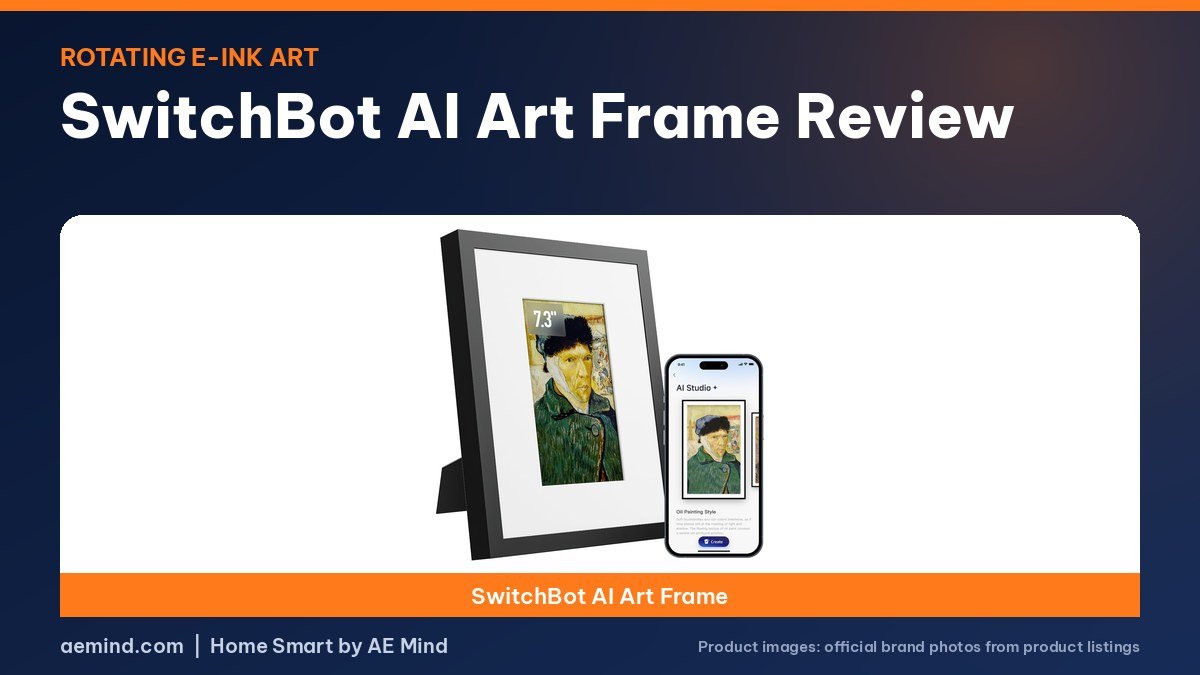
This SwitchBot AI Art Frame review finds a cordless color e-paper frame that shines with artwork but struggles to show family photos naturally, according to Paul Hibbert, a UK smart home YouTuber who runs Hibbert Home Tech, and Reed Kleinman of Smart Home Solver.
Both reviewers received their frames from SwitchBot; Reed’s was an early prototype. Here is what they found, how the AI features work, and what each size costs as of October 21, 2026.
SwitchBot AI Art Frame review: sizes and prices
Prices checked on Amazon Oct 21, 2026. I may earn a commission from links, at no cost to you.
| Size | Price (Oct 21, 2026) | Why it fits | Link |
|---|---|---|---|
| SwitchBot AI Art Frame 7.3″ | $119.99 | Smallest and least expensive | Check price |
| SwitchBot AI Art Frame 13.3″ | $279.99 | Paul Hibbert’s pick; same size Smart Home Solver compared | Check price |
| SwitchBot AI Art Frame 31.5″ | $1,299.99 | Very large; Paul called it very expensive | Check price |
What the SwitchBot AI Art Frame is
The frame uses E Ink Spectra 6 color e-paper and connects over Wi-Fi to the SwitchBot app. It comes in 7.3, 13.3 and 31.5-inch sizes. Because e-paper only draws power when the image changes, Paul says SwitchBot lists about two years of battery from a four-hour charge, so you can hang it with no cable. He describes the matte, paper-like screen as closer to a print than the glossy screens on an Echo Show.
Storage and rotation
The frame stores 10 images and rotates them on a schedule, which both reviewers saw as unusual. Reed compared it with the Reflection Frame, which holds one picture, and the Aura Ink, which pulls unlimited photos from the cloud. Paul points out that 10 images may feel limiting if you are used to frames holding thousands, though you can swap them in the app.
AI Studio and the subscription
SwitchBot’s AI Studio can restyle your photos, for example as an oil painting, or create art from a text prompt. Paul enjoyed it and thinks it suits the display, since art hides the dot pattern of the screen better than photos. The AI generation is a paid subscription; Paul said that seems fair given server costs, and points out you can upload your own images, including art you make elsewhere, for free. Reed said he would rather see family pictures than AI art, but acknowledged it can bring old photos to life.
Color and image quality
This is where both reviewers had reservations. Reed’s prototype pushed saturation and contrast so far that photos looked like an old Instagram filter, even with both settings lowered. Paul found colors leaned red; his fix was to turn the color temperature down, though photos still did not look fully accurate. Up close, he could see the dots that form the image, which is far less noticeable with sketches and paintings. Reed noted SwitchBot was still working on image tuning at the time.
Frames and lighting
The frame fits IKEA RÖDALM picture frames, so you can change the look cheaply. Paul says he has not seen that on rivals. There is no built-in light, so like a printed photo it needs a lit room; the Aura Ink is the one reviewers mentioned with a front light.
Home Assistant
SwitchBot plans Home Assistant support, which both reviewers wanted. Paul asked SwitchBot what it would include and was told Home Assistant would be able to move to the next image, not choose a specific one. He had hoped to use frames around the house as family message boards, showing “tea time” or “do not disturb”; with only next-image control, he says, you would be limited to two images to flip between.
How it compares with Aura Ink and Reflection Frame
Reed put the SwitchBot between its two rivals. It is more convenient than the Reflection Frame, which holds one photo and needs your phone to tap it, but it does not use the cloud like the Aura Ink, so relatives cannot add pictures from far away. Paul says the SwitchBot costs hundreds of dollars less than the Aura. Against both, it is the only one that takes an IKEA frame and the only one with planned Home Assistant support. For color, Reed ranked the Reflection first and the Aura second, ahead of the SwitchBot prototype.
What comes in the box
Paul unboxed a charging supply and a wall hook with a nail, so the frame hangs like a regular picture. He plugged it in briefly to charge before setting it up in the app.
Which size to get
Paul picked the 13.3-inch model for himself and called the 31.5-inch version very expensive, suited to someone who wants changing art on a large wall. He found the 7.3-inch frame reasonably priced compared with rivals. On Amazon, the 7.3-inch is $119.99, the 13.3-inch is $279.99 and the 31.5-inch is $1,299.99 as of October 21, 2026.
Who it is for
- People who want rotating artwork on a wall without a cord.
- IKEA frame fans who want to match existing decor.
- Home Assistant users who can live with next-image control.
- Not ideal if accurate family photos are the priority; reviewers preferred the Reflection Frame for color.
Video: Paul Hibbert: “Soooo, Magic Paper Exists!? | Switchbot AI Art Frame”. Embedded with credit; the findings are the creator’s own.
Video: Smart Home Solver: “I tested 3 E-ink Picture Frames: Good, Bad, and UGLY”. Embedded with credit; the findings are the creator’s own.
Frequently Asked Questions
What did reviewers say in their SwitchBot AI Art Frame review?
Paul Hibbert loved it for artwork and the matte screen but found photos leaned red. Smart Home Solver’s prototype looked oversaturated.
How many pictures does the SwitchBot AI Art Frame hold?
It stores 10 images and can rotate them on a schedule.
Is the SwitchBot AI art feature free?
No. AI generation is a subscription, but uploading your own images is free.
Does the SwitchBot AI Art Frame fit IKEA frames?
Yes. Both reviewers say it fits IKEA RÖDALM frames.
How long does the SwitchBot AI Art Frame battery last?
Paul Hibbert says SwitchBot lists about two years from a four-hour charge, since e-paper only uses power when the image changes.
Sources
- Amazon product listings for the products linked above, checked October 21, 2026
- Paul Hibbert: “Soooo, Magic Paper Exists!? | Switchbot AI Art Frame”
- Smart Home Solver: “I tested 3 E-ink Picture Frames: Good, Bad, and UGLY”
Related: Best E-Ink Picture Frame | Aura Ink vs Reflection Frame vs SwitchBot | Best E-Ink Smart Home Dashboard
Notes and disclosure
Note: Prices come from Amazon listings (or the maker’s own store where a product is not sold on Amazon) checked on October 21, 2026. Prices change often, so check the current listing. Screen sizes, battery and storage figures are the manufacturers’ listed specs unless a reviewer is credited. The Aura Ink is sold by Aura, not on Amazon, so its price is Aura’s published price. Smart Home Solver said SwitchBot’s engineers sent him a prototype frame, so production units may look different. Paul Hibbert said SwitchBot sent him his frames and thanks the company in the video. Test results and tips quoted above come from the YouTube creators credited in each section; they are their findings, not hands-on claims from me.
Affiliate Disclosure: If you purchase an item through the links on this page, I may receive a commission, at no additional cost to you. Thank you for supporting the channel.