
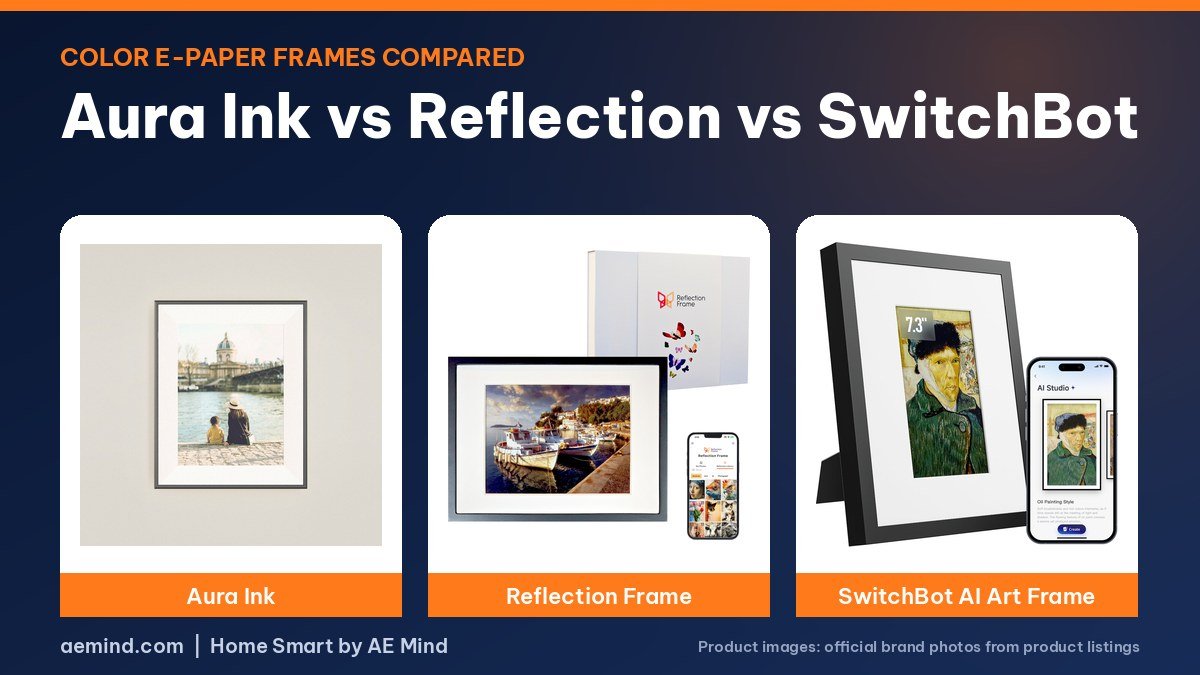
In the Aura Ink vs Reflection Frame matchup, the Reflection shows more accurate color while the Aura Ink is easier to fill with photos and adds a front light, according to Smart Home Solver, the YouTube channel run by Reed Kleinman, who has about 737,000 subscribers and covers practical home automation, who also tried a SwitchBot AI Art Frame prototype.
All three use 13.3-inch color e-paper, but they load photos in very different ways. Here is how they compare on color, convenience, lighting and price, as of October 21, 2026.
Aura Ink vs Reflection Frame vs SwitchBot: prices and specs
Prices checked on Amazon Oct 21, 2026. I may earn a commission from links, at no cost to you.
| Frame | Price (Oct 21, 2026) | Why it fits | Link |
|---|---|---|---|
| Aura Ink | $499 (Aura) | Wi-Fi and cloud, front light, unlimited photos per Aura | Official site |
| Reflection Frame 13.3″ | $349.99 | Most accurate color; tap phone to send one picture | Check price |
| SwitchBot AI Art Frame 13.3″ | $279.99 | Stores 10 images on a schedule; IKEA frame compatible | Check price |
| Aura Ink | Reflection Frame 13.3″ | SwitchBot AI Art Frame 13.3″ | |
|---|---|---|---|
| Screen | 13.3-inch color e-paper, 1600 x 1200 | 13.3-inch color e-paper, 1200 x 1600 | 13.3-inch color e-paper |
| Adding pictures | Aura app over Wi-Fi and cloud | Tap phone (NFC), sent over Bluetooth | SwitchBot app over Wi-Fi |
| Storage | Unlimited photos, per Aura | One picture at a time | 10 images, scheduled rotation |
| Light | Front light with ambient and motion sensors | No light | No light |
| Connection | Wi-Fi and cloud | No Wi-Fi, no cloud | Wi-Fi; Home Assistant support planned |
| Subscription | None, per Aura | None | Optional AI art subscription |
| Buy | Official site | Check price | Check price |
Aura Ink vs Reflection Frame: how you add photos
This is the biggest difference, Smart Home Solver explains. The Reflection Frame 13.3″ has no Wi-Fi or cloud. You choose a photo in its app and tap your phone on the frame; NFC starts the connection and Bluetooth sends the image. It holds one picture at a time. The Aura Ink works the opposite way: you add one or many photos to the Aura app, they sync to the cloud, and the frame changes daily, several times a day or not at all. Anyone with access can add photos remotely, which is why Reed sees it as the easier frame for relatives who live far away.
The SwitchBot AI Art Frame 13.3″ is in the middle. You send pictures from the SwitchBot app directly to the frame, it stores 10, and it rotates them on a schedule. Paul Hibbert, a UK smart home YouTuber who runs Hibbert Home Tech, called scheduled rotation unusual among these frames, while noting that 10 photos is not many if you are used to frames holding thousands.
Color accuracy
Reed ranked the Reflection first: colors looked close to the original on his phone, with smooth blends. The Aura came second; in his side-by-side, yellows appeared almost white and parts of a sky looked blotchy. The SwitchBot prototype looked least natural, with saturation and contrast pushed hard even after he turned both down. Paul Hibbert found his SwitchBot frames leaned red with photos and said they look best with artwork, where the dot pattern of the screen is less visible.
Lighting
Only the Aura Ink has a front light. An ambient light sensor matches the room, and a motion sensor turns the light on only when someone is nearby; you can also limit it to a schedule. Reed’s family picked the Aura as their favorite, which he credits to the light. Paul points out that without a light, the SwitchBot frame behaves like a printed picture and fades in a dark room.
Size and frames
The Aura is noticeably smaller overall than the other two even with the same screen size, Reed says. Reflection offers several frame colors, though he did not see a way to change the frame later. The SwitchBot fits IKEA RÖDALM frames, so you can swap the look for little money, a feature Paul says he has not seen on rivals.
Smart home and subscriptions
SwitchBot plans Home Assistant support. Paul says SwitchBot told him it will let Home Assistant advance to the next image, not choose a specific one, which limits ideas such as showing a “dinner’s ready” sign. SwitchBot’s AI art tools are a paid subscription, but uploading your own images is free. Aura says the Aura Ink has no subscription, and the Reflection Frame has no cloud service at all.
Price
On Amazon, the Reflection Frame 13.3-inch is $349.99 and the SwitchBot AI Art Frame 13.3-inch is $279.99 as of October 21, 2026. Aura sells the Aura Ink for $499 on its own site. Reed noted all three are expensive because the technology is new, and he expects prices to come down as the technology matures and more frames reach the market.
Which should you buy?
- Aura Ink if it is a gift for parents or grandparents and several people will add photos remotely.
- Reflection Frame if color accuracy matters most and you are happy to change the picture by hand.
- SwitchBot AI Art Frame if you want rotating art, an IKEA frame, or future Home Assistant control.
Video: Smart Home Solver: “I tested 3 E-ink Picture Frames: Good, Bad, and UGLY”. Embedded with credit; the findings are the creator’s own.
Video: Paul Hibbert: “Soooo, Magic Paper Exists!? | Switchbot AI Art Frame”. Embedded with credit; the findings are the creator’s own.
Frequently Asked Questions
Aura Ink vs Reflection Frame: which has better color?
Smart Home Solver found the Reflection Frame more accurate, with the Aura close behind but weaker on yellows.
Does the Reflection Frame use Wi-Fi?
No. It uses NFC and Bluetooth from your phone and has no cloud service.
Which e-ink frame has a light?
Only the Aura Ink, which uses ambient and motion sensors to control its front light.
Does the SwitchBot AI Art Frame work with Home Assistant?
Support is planned. Paul Hibbert says SwitchBot told him it will advance to the next image rather than select a specific one.
Sources
- Amazon product listings for the products linked above, checked October 21, 2026
- Aura Ink product page, auraframes.com, checked October 21, 2026
- Smart Home Solver: “I tested 3 E-ink Picture Frames: Good, Bad, and UGLY”
- Paul Hibbert: “Soooo, Magic Paper Exists!? | Switchbot AI Art Frame”
Related: Best E-Ink Picture Frame | SwitchBot AI Art Frame Review | Best E-Ink Smart Home Dashboard
Notes and disclosure
Note: Prices come from Amazon listings (or the maker’s own store where a product is not sold on Amazon) checked on October 21, 2026. Prices change often, so check the current listing. Screen sizes, battery and storage figures are the manufacturers’ listed specs unless a reviewer is credited. The Aura Ink is sold by Aura, not on Amazon, so its price is Aura’s published price. Smart Home Solver said SwitchBot’s engineers sent him a prototype frame, so production units may look different. Paul Hibbert said SwitchBot sent him his frames and thanks the company in the video. Test results and tips quoted above come from the YouTube creators credited in each section; they are their findings, not hands-on claims from me.
Affiliate Disclosure: If you purchase an item through the links on this page, I may receive a commission, at no additional cost to you. Thank you for supporting the channel.