
Gridfinity is a free, open-source storage system built on 42 mm squares: you 3D print a baseplate sized to your drawer, then drop in bins of any whole-number grid size, and any bin fits any baseplate. It was created by Zack Freedman, a YouTuber and maker who designed it to display your parts so you can grab what you need and get back to the project (Zack Freedman, “Gridfinity: Your Ultimate Modular Workshop is FREE!”).
For beginners, Uncle Jessy, a YouTube channel that teaches 3D printing, recommends a free online generator for baseplates and bins, a printable Gridfinity ruler and cheap digital calipers for custom inserts (Uncle Jessy, “Gridfinity for Dummies”). Here is how Gridfinity works, what to print first and whether it’s worth it.
How Gridfinity Works
Prices from Amazon at time of writing. I may earn a commission from links, at no cost to you.
| Part | What it does | Print tip |
|---|---|---|
| Baseplate | The grid the bins sit in | Size it to your drawer; split big plates |
| Bins | Hold parts and tools | Whole-number grid sizes; heights in 7 mm steps |
| Labels | Name each bin | Multicolor printers or a filament swap can print labels in |
| Magnets | Hold bins in place | Optional; glue small magnets in the base |
| Custom inserts | Fit specific tools | Use a generator, Tinkercad or Fusion 360 |
Freedman explained the design choices (Zack Freedman, “Gridfinity: Your Ultimate Modular Workshop is FREE!”). Every storage block fits whole-number 42 mm squares, and heights come in multiples of 7 mm, so any combination works together. Bins have a curved inner surface so you can scoop parts out with one finger, a lip so they stack, and an undercut label tab that doubles as a handle. The baseplate’s Z-shaped socket lets bins drop in with no resistance, while a small lip stops them getting knocked out; you can glue four small magnets per socket for extra hold. He designed nearly 100 storage blocks at launch.
What to Print First
- Measure your drawer and generate a baseplate to fit.
- Start with a few 1×1 and 2×1 bins for screws and small parts.
- Print a Gridfinity ruler to plan layouts.
- Then make custom bins for tools you use often.
Freedman’s tip: take inventory of your existing storage and print bins that hold the same amount. Don’t overthink it, because if you print the wrong bin you can pull it out and reuse it elsewhere (Zack Freedman, “Gridfinity: Your Ultimate Modular Workshop is FREE!”).
Gridfinity Generators and Tools
Uncle Jessy fitted Gridfinity into Harbor Freight mini toolboxes, for which he couldn’t find ready-made files (Uncle Jessy, “Gridfinity for Dummies”). His process:
- Use the printable Gridfinity ruler to count rows and columns; his drawer needed five by three.
- Measure the drawer with digital calipers or a tape and enter the size in a Gridfinity generator web app, which adds a border so the baseplate fits snugly without wiggle.
- Use the same generator for bins, choosing rows, columns, height, label tabs, magnet bases and stacking options.
- For two-color bins, add a pause to swap filament mid-print; no multicolor printer needed.
- For custom inserts, measure the object with calipers and model it in free Tinkercad. He found $10 to $12 calipers more practical than a $100 tracing gadget.
He also points beginners to the active Gridfinity Reddit community for tips. You can also search “gridfinity generator” or “gridfinity baseplate generator” on Printables and MakerWorld.
Gridfinity Around the House
FromSergio, a YouTube channel about useful prints, uses Gridfinity in nearly every drawer in his home, some inside drawers he also printed (FromSergio, “Every USEFUL 3D Print I Actually Use”). He found almost everything he wanted already made online and printed standard boxes for the rest. Custom bins turned out easier than expected, even without CAD skills. “If all I could do with a 3D printer was Gridfinity stuff, I’d still own one,” he said. His shortcut for finding models is to search for the item plus the word “gridfinity.”
Is Gridfinity Worth It?
The Den of Tools, a tool channel, argues Gridfinity is overhyped (The Den of Tools, “The Dark Truth About Gridfinity!”). Rounding every design up to the 42 mm grid can waste 5% to 15% of a drawer, oddly shaped spaces and toolbox rivets create unused zones, and a bin that’s slightly too big must jump a full grid size. He suggests designing custom bins and trays to fit your space instead.
It also uses a lot of filament and print time for big drawers. But for drawers where the contents change, the swap-anything layout is the point, which is why Freedman and FromSergio swear by it.
Best Printers for Gridfinity
| Printer | Price (Amazon, Oct 16, 2026) | Why it fits | Link |
|---|---|---|---|
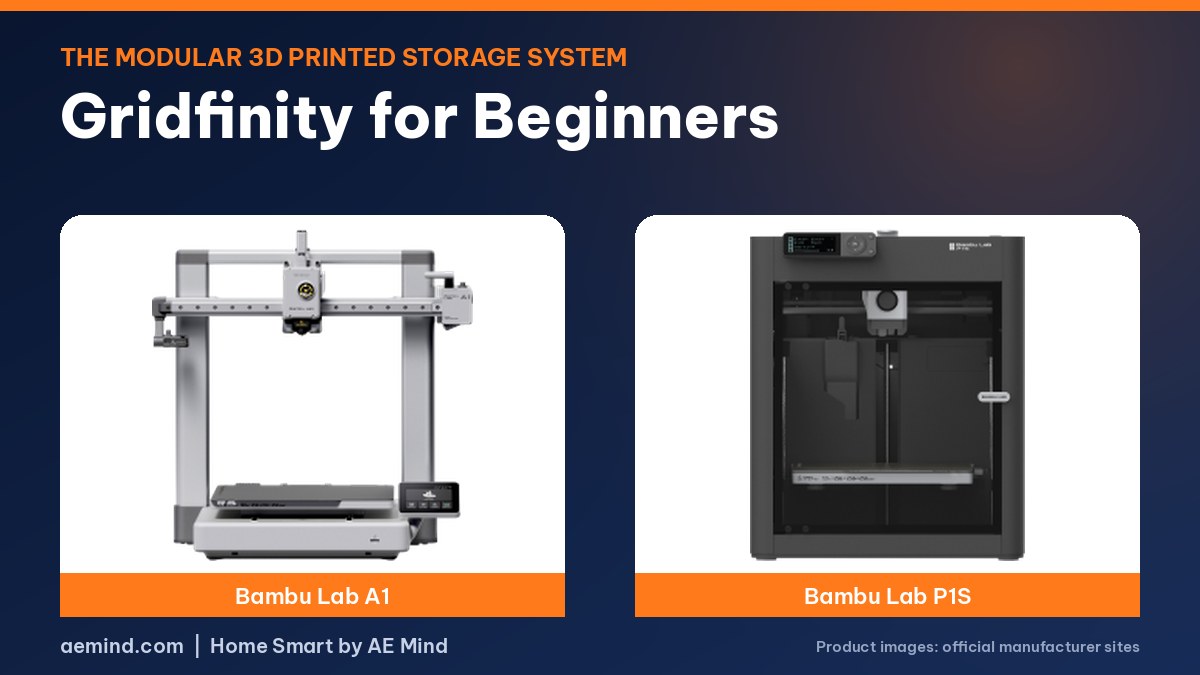
| Bambu Lab A1 | $299.99 | 256 mm bed fits a 6×6 grid section | Check price |
| Bambu Lab P1S Combo | $549.00 | Fast and enclosed; AMS for color-coded bins | Check price |
| Flashforge AD5X | $349.00 | Budget 4-color for labeled bins | Check price |
Video: Uncle Jessy, “Gridfinity for Dummies”. Embedded with credit.
Video: Zack Freedman, “Gridfinity: Your Ultimate Modular Workshop is FREE!”.
Gridfinity for Beginners: Frequently Asked Questions
What size is a Gridfinity grid?
Each grid unit is 42 mm square, and heights come in 7 mm steps.
Do I need CAD software for Gridfinity?
No. Free online generators create baseplates and bins at the sizes you need.
What filament is best for Gridfinity?
PLA is fine for drawers and desks. Use PETG for a hot garage.
Can I print Gridfinity on a small printer?
Yes. Print baseplates in sections. Small 180 mm printers like the A1 mini can do it with more pieces.
Do Gridfinity bins need magnets?
No. Magnets are optional extra hold, per Zack Freedman.
Sources
- Zack Freedman, “Gridfinity: Your Ultimate Modular Workshop is FREE!”
- Uncle Jessy, “Gridfinity for Dummies”
- FromSergio, “Every USEFUL 3D Print I Actually Use”
- The Den of Tools, “The Dark Truth About Gridfinity!”
- Amazon product listings for the printers linked above, October 16, 2026
Related: Useful Things to 3D Print for Your Home | Best Budget Multicolor 3D Printer | Bambu Lab A1 Review | 3D Printed Filament Storage
Notes and disclosure
Note: Printer prices come from Amazon listings on October 16, 2026 and change often. Design details and tips come from the credited YouTube creators; I have not printed these systems myself.