
The best things to 3D print for gaming are controller stands, headset holders, desk mounts and cable management, and a printed dock mount can cost under $1 in filament versus about $20 to buy, according to Sergio of FromSergio, a YouTube channel whose creator printed most of his desk setup (FromSergio, “I 3D Printed 80% of My Desk Setup”). His bigger point: printing lets you make things nobody sells.
WildRoseBuilds, a YouTube channel about 3D printed upgrades, highly recommends a printed controller holder for any gamer’s desk (WildRoseBuilds, “7 Cool 3D Printed Things To Upgrade Your Desk / Gaming Setup”), and makers on Reddit share universal controller stands printed thousands of times. Here are the most useful gaming and desk prints, grouped by category, with what creators learned.
Best Things to 3D Print for Gaming
Prices from Amazon at time of writing. I may earn a commission from links, at no cost to you.
| Category | Prints | Filament |
|---|---|---|
| Controllers and headsets | Controller stands, wall mounts, under-desk hangers, headphone holders | PLA |
| Desk setup | Light-bar mounts, under-desk drawers, charging docks, catch-alls | PLA or wood PLA |
| Cable management | Under-desk grids, cable channels, clips, power-strip mounts | PLA or PETG |
| Board games and tabletop | Box inserts, token trays, card holders, dice towers, miniatures | PLA |
| Fun extras | Game-themed lamps and figures, fidget toys | PLA, silk or multicolor |
3D Printed Controller Stands and Headset Holders
WildRoseBuilds called an alien-hand controller holder by STLFlix the perfect addition to a gamer’s desk, keeping your controller within reach (WildRoseBuilds, “7 Cool 3D Printed Things To Upgrade Your Desk / Gaming Setup”). For headsets, he found most headphone holders clunky, so he designed one that slides out of the way under the desk when not in use. It prints in place with no assembly and screws to the underside of the desk.
FromSergio printed a mount for his AirPods Max that tricks the headphones into thinking they’re in their case, so they go to sleep and stop draining the battery (FromSergio, “I 3D Printed 80% of My Desk Setup”). On Reddit, makers share desk-edge headphone holders that take almost no space and stands that hold four controllers and a headset. See headphone stands for more designs.
3D Printed Desk Setup Upgrades
FromSergio found almost every model in his setup on MakerWorld and printed them on a Bambu Lab P1S (FromSergio, “I 3D Printed 80% of My Desk Setup”). Highlights:
- Phone and watch docks: a MagSafe holder clipped to his desk shelf printed for about 40 cents, versus nearly $100 for a commercial wooden option, and a flush Apple Watch charger mount that hides the cable.
- Drawers: a drawer set printed in wood PLA, fitted with Gridfinity bins. Gridfinity is a modular storage grid created by YouTuber Zack Freedman.
- Light-bar mount: a bracket that holds two Philips Hue Play bars on his monitor’s VESA mount at an adjustable angle.
- Dock mount: a CalDigit dock holder, one of the few items you can buy, at around $20; his took about an hour and under $1 in filament.
- Touch ID button: a printed case for the Touch ID sensor from a secondhand Magic Keyboard, mounted for use with a mechanical keyboard.
WildRoseBuilds added a retro Mac-style Apple Watch charger printed in matte PLA, an under-desk drawer that mounts with screws and guide rails, a low-poly catch-all tray that needs no supports, a Prusa clamp-on vise for holding PCBs while soldering, and a cable knob paired with cup magnets for hanging wrapped cables (WildRoseBuilds, “7 Cool 3D Printed Things To Upgrade Your Desk / Gaming Setup”).
3D Printed Cable Management for Gaming Desks
FromSergio’s under-desk setup uses Multiboard, a modular grid you screw to the desk once (FromSergio, “I 3D Printed 80% of My Desk Setup”). Printed cable channels, hooks and mounts snap into it with no tools, so you can rearrange them anytime. His holds a fully loaded power strip, and he labels each channel. He prefers it to adhesive clips, which leave cables visible and residue behind. For smaller jobs, see 3D printed cable clips.
Board Games and Tabletop Prints
Box inserts and token trays speed up setup and keep components organized, and dice towers and card holders are quick prints. For figures, see FDM miniatures; for desk toys, see fidget toys.
Tips for Gaming Prints
- Match your setup with multicolor printing or color swaps; wood PLA and matte PLA suit a clean desk look.
- Measure your desk thickness before printing clamp-on designs.
- Use screw-mounted or modular grids instead of adhesive where you can.
- PLA is fine for most desk prints; use PETG near warm electronics.
Best Printers for Gaming Prints
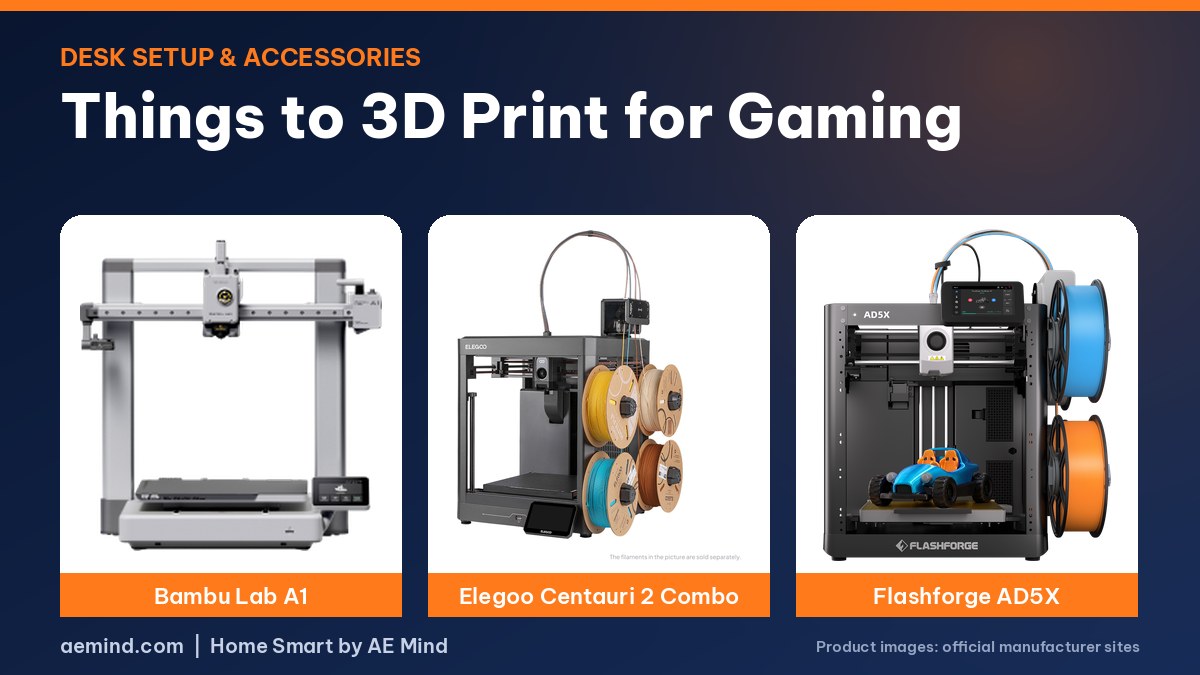
| Printer | Price (Amazon, Oct 16, 2026) | Why it fits | Link |
|---|---|---|---|
| Bambu Lab A1 | $299.99 | Affordable and great for desk prints | Check price |
| Elegoo Centauri 2 Combo | $328.99 | 4-color for logos and themed pieces | Check price |
| Flashforge AD5X | $349.00 | Budget 4-color option | Check price |
For more multicolor options, see best budget multicolor 3D printer.
Video: FromSergio, “I 3D Printed 80% of My Desk Setup”. Embedded with credit.
Video: WildRoseBuilds, “7 Cool 3D Printed Things To Upgrade Your Desk / Gaming Setup”.
Things to 3D Print for Gaming: Frequently Asked Questions
What should a gamer 3D print first?
A controller stand or headphone holder: quick, useful prints.
What filament is best for gaming desk accessories?
PLA for most, PETG for parts near warm electronics.
Is it cheaper to 3D print desk accessories?
Often. FromSergio printed a dock mount for under $1 that sells for about $20.
What is the best 3D printed cable management for a gaming desk?
A modular grid like Multiboard lets you snap cable channels and mounts in and move them later.
Are board game inserts worth printing?
Yes. They speed up setup and protect components.
Sources
- FromSergio, “I 3D Printed 80% of My Desk Setup”
- WildRoseBuilds, “7 Cool 3D Printed Things To Upgrade Your Desk / Gaming Setup”
- r/3Dprinting: Universal controller stand
- r/functionalprint: Controller & headset stand
- Amazon product listings for the printers linked above, October 16, 2026
Related: Useful Things to 3D Print for Your Home | 3D Printed Cable Clips | 3D Printed Fidget Toys | Best Budget Multicolor 3D Printer
Notes and disclosure
Note: Printer prices come from Amazon listings on October 16, 2026 and change often. Ideas and costs come from the credited YouTube creators and Reddit threads; I have not printed these models myself.