
The best 3D printed cable management is modular: a printed grid under the desk that cable trays and hooks snap into, so you can add or move pieces as your setup changes. Snazzy Labs, a tech YouTube channel, built one on a Multiboard-style printed grid and said it was “like Legos.”
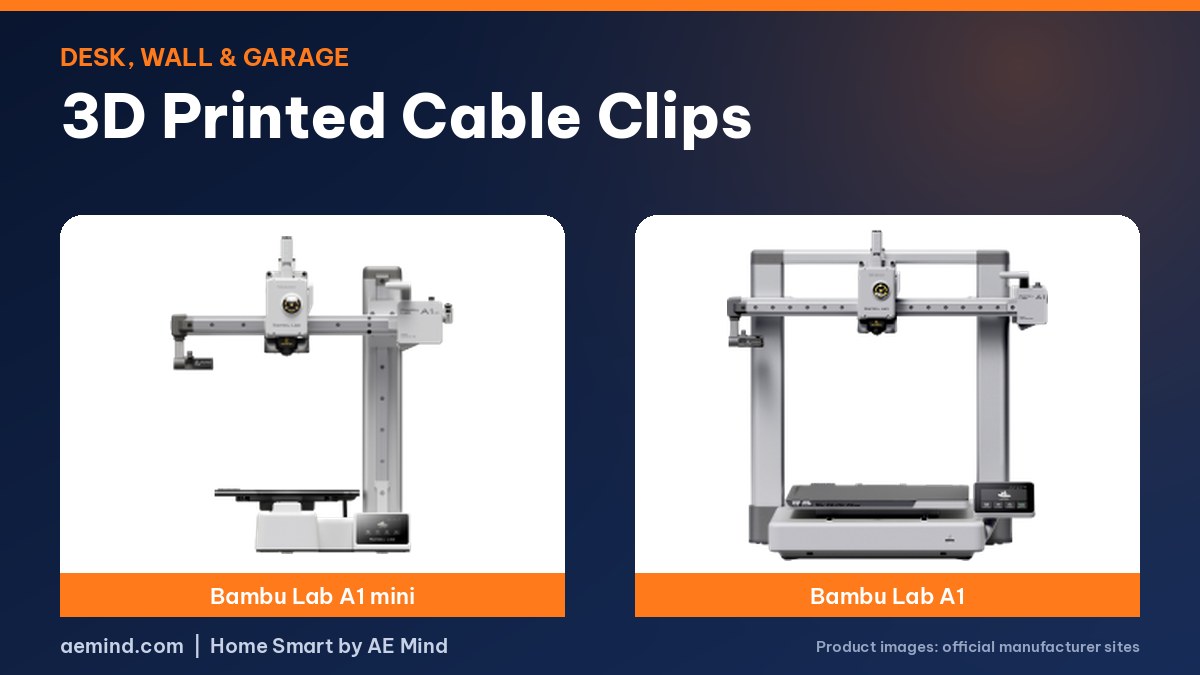
For cables you store rather than run, Jet L, a YouTube channel that covers practical printing projects, showed a Gridfinity drawer that tracks up to 50 cords and five charging blocks, printed on a Bambu Lab A1 mini (Jet L, “Transform Your Cable Storage with 3D Printing – Bambu Lab A1 Mini”). Here are the clip and storage types worth printing, the settings designers recommend, and tips from both builds.
Types of 3D Printed Cable Clips and Organizers
Prices from Amazon at time of writing. I may earn a commission from links, at no cost to you.
| Type | Best for | Where it goes |
|---|---|---|
| Adhesive or screw-on wall clips | Single cords along a wall or baseboard | Wall, desk back |
| Desk-edge clips | Charging cables you want in reach | Desk edge |
| Under-desk grids and raceways | Hiding power strips and long runs | Under the desk |
| Cable winders and caps | Storing spare cables neatly coiled | Drawer or shelf |
| Gridfinity cable bins | Drawers full of chargers and adapters | Drawer |
| Extension cord hangers and locks | Long cords in the garage | Garage wall |
| Cable chains and guides | Moving tool or printer cables | Workshop |
Under-Desk Cable Management: The Snazzy Labs Build
Snazzy Labs started from Multiboard, a popular 3D printed pegboard system, after the community adapted it for cable channels and wraps under a desk (Snazzy Labs, “Cheap, DIY Cable Management—Like a Pro!”). The build used three pieces:
- A printed grid screwed to the underside of the desk.
- Small hexagonal printed screws and nuts that lock trays and mounts into the grid.
- Snap-on cable trays with lids, plus open hooks for cables you swap often.
The planning tip worth copying: power cables went into closed raceways near the center of the desk, routed toward the power strip, while data cables for the computer hung on open hooks at the back so they’re easy to add or remove. Snazzy Labs called it a “highway system” that keeps power and data cables apart.
Two practical lessons from the build:
- When a channel holds three cables, the standard lid gets tight. The designer offers taller lids that still line up with the standard connectors.
- Print plenty of the small connectors. Snazzy Labs ran short partway through and reprinted about 30 more in roughly 3 hours.
- The channel preferred screws over foam adhesive tape for anything under the desk, because adhesive can let go when a cable is heavy.
For more wall-grid ideas, see our 3D printed pegboard accessories guide.
Cable Storage Drawers With Gridfinity
Jet L built a Gridfinity-based drawer system so it would fit any drawer size. He tested at least 20 bins and settled on four types (Jet L, “Transform Your Cable Storage with 3D Printing – Bambu Lab A1 Mini”):
- 3×2 bins with six sections for everyday USB cables. Open dividers save filament compared with solid bins. One bin takes about 3 hours on the A1 mini, or two in about 5 hours.
- 2×2 bins with four sections, made with an online Gridfinity bin generator, for thicker cables.
- Half-width bins so long cables like HDMI can lie flat. He keeps two side by side so they sit securely in the grid.
- A front organizer for power bricks.
His tip: check Bambu Lab’s model library for a baseplate already sized to your drawer before designing one. New to the system? Start with our Gridfinity for beginners guide.
Cable Cap: A Modular Cable Storage System
In a separate video, Jet L reviewed Cable Cap, a paid, Kickstarter-funded STL pack for storing coiled cables. It had more than 1,600 backers when he filmed, and he said the video wasn’t sponsored (Jet L, “Fix Your Cable Chaos With 3D Printing!”). The system includes:
- Caps in five sizes (small, medium, wide, large, extra large) and three heights. Small fits 3 ft cables and earbuds; medium fits 6 ft cables and power cords; wide avoids sharp bends.
- More than 50 label STLs that snap on without glue, including a single-nozzle file with a filament swap so you don’t need a multicolor printer.
- Modular grids that snap together, Gridfinity-compatible bases and wall-mount versions.
- Standard, small and large cable clips for loose cables on a desk.
Print Settings for Cable Clips and Organizers
Cable Cap’s manual is one of the few that lists exact settings. Jet L relayed them:
| Setting | Recommendation |
|---|---|
| Filament, indoors | PLA |
| Filament, outdoors or in a vehicle | PETG or ABS |
| Layer height | 0.28 to 0.3 mm |
| Infill | 12%, gyroid or rectilinear |
| Walls | 3 |
| Supports | None needed |
| Magnets | Optional, added with a pause in the print |
| Use | Filament | Why |
|---|---|---|
| Indoor, light load | PLA | Stiff and easy, but creeps under constant load |
| Clips that flex open | PETG | Tougher and less brittle |
| Hot garage, car, outdoors | ASA | Heat and UV resistant; needs an enclosed printer |
| Grip, soft contact | TPU | Rubber-like |
For the trade-offs between the two main filaments, see PLA vs PETG.
Best Printers for Clips
| Printer | Price (Amazon, Oct 16, 2026) | Why it fits | Link |
|---|---|---|---|
| Bambu Lab A1 mini | $249.00 (LED lamp kit bundle) | Clips and Gridfinity bins are small; Jet L used one for his drawer | Check price |
| Bambu Lab A1 | $299.99 | Bigger bed for under-desk grid panels | Check price |
| Flashforge AD5X | $349.00 | Multicolor clips and labels to color-code cables | Check price |
Not sure which Bambu fits? Compare the A1 vs A1 mini.
Video: Snazzy Labs, “Cheap, DIY Cable Management—Like a Pro!”. Embedded with credit; the findings are the creator’s own.
Video: Jet L, “Fix Your Cable Chaos With 3D Printing!”.
Frequently Asked Questions
What filament is best for cable clips?
PLA indoors. PETG for clips that flex, and PETG or ABS outdoors or in a car, per the Cable Cap settings.
How do I mount printed clips?
Screws, removable adhesive strips or clamp-on designs for desk edges. For heavy cable runs, screws hold best.
Do I need a multicolor printer for labels?
No. Cable Cap includes a label file with a filament swap for single-nozzle printers.
Can I print clips for the garage?
Yes, in PETG or ASA. PLA softens in hot garages.
Are printed clips cheaper?
Usually. Each clip uses a few grams of filament, though a full under-desk system takes many hours of printing.
Sources
- Snazzy Labs, “Cheap, DIY Cable Management—Like a Pro!”
- Jet L, “Fix Your Cable Chaos With 3D Printing!”
- Jet L, “Transform Your Cable Storage with 3D Printing – Bambu Lab A1 Mini”
- Amazon product listings for the printers linked above, October 16, 2026
Related: Useful Things to 3D Print for Your Home | 3D Prints for Garage Organization | 3D Printed Pegboard Accessories | A1 vs A1 mini
Notes and disclosure
Note: Printer prices come from Amazon listings on October 16, 2026 and change often. The ideas come from the credited YouTube creators, not hands-on claims from me.