
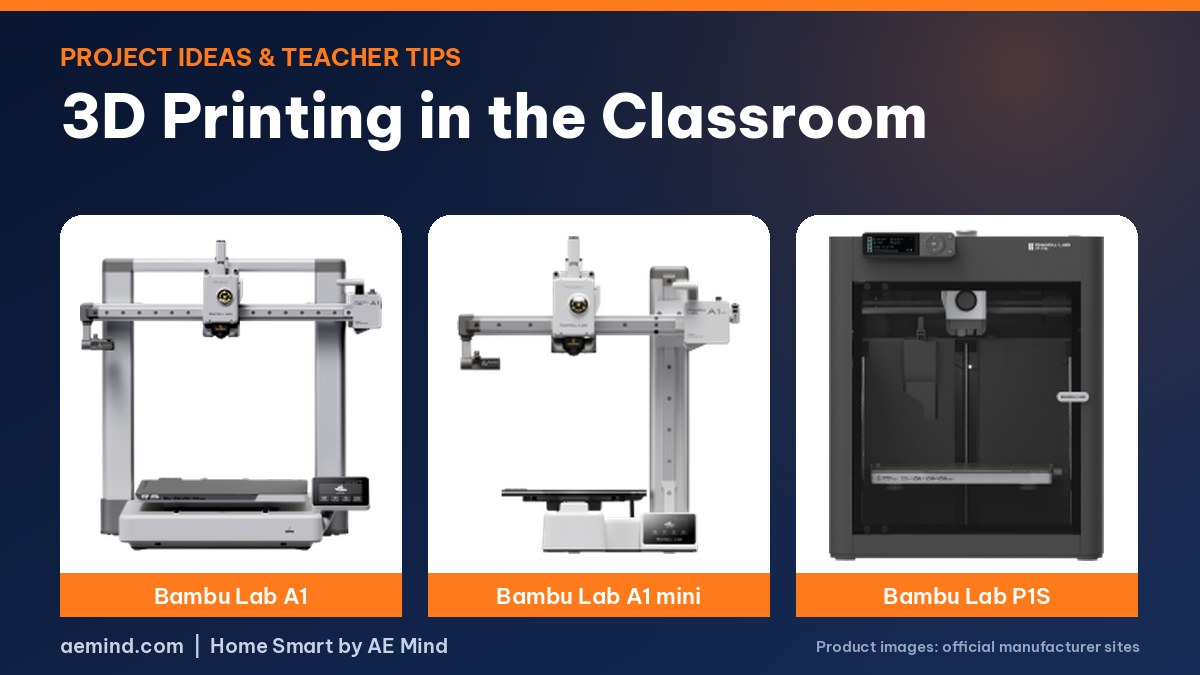
3D printing in the classroom lets students hold what they design, and one printed learning aid cost a school less than $5, according to teacher Stephen Elford in a TEDx talk. His school printed a Braille periodic table so a blind student could learn the table’s structure.
Teachers on Reddit in r/ScienceTeachers suggest starting with Tinkercad tutorials, a teacher-approved print queue and small projects like name tags.
Here are project ideas by level, tips from teachers on managing prints, and printer considerations for schools.
This post contains Amazon affiliate links. If you buy through them, I may earn a commission at no extra cost to you.
3D Printing in the Classroom: Project Ideas
Prices from Amazon at time of writing. I may earn a commission from links, at no cost to you.
| Level | Projects |
|---|---|
| Elementary | Name keychains, bookmarks, simple shapes, classroom prizes |
| Middle school | Marble mazes, STEM builds, bridges, cars |
| High school | Measured real-world fixes, robotics parts, prototypes |
| Any level | Science and math models, maps, accessible tactile aids |
Managing Prints in a Classroom
- Use a print queue with teacher approval
- Batch several students’ small prints per plate
- Set size and time limits per project
- Teach design rules: walls at least 0.8 mm, avoid big overhangs
Software
- Tinkercad for beginners (free, browser-based, has class tools)
- Onshape or Fusion for older students
Choosing a Printer for School
Look for auto-calibration, quiet operation and an enclosure or safe placement for younger students. See best 3D printer for kids.
A quiet desk option for STEM clubs: Entina Tina2C
Teachers who need a compact STEM station rather than a print farm can consider the Entina Tina2C. Entina markets the Poloprint app’s 3,500+ model library and AI photo/text-to-3D tools toward kids and classrooms, and the open mini frame is light enough to move between rooms. In my home session the printer stayed quiet enough for a shared space, and the ready-made library meant I never opened a slicer for the first three jobs. That workflow maps well to a short club period: pick a model, tap print, watch. I summarize those prints in the best 3D printer for kids hands-on section; parents and teachers who want nozzle temps, filament limits and supervision notes should read the Entina Tina2C review before placing one beside student desks.
Best Printers for Classrooms
| Printer | Price (Amazon, Oct 16, 2026) | Why it fits | Link |
|---|---|---|---|
| Bambu Lab A1 | $299.99 | Auto calibration; reliable for many users | Check price |
| Bambu Lab A1 mini | $249.00 (LED lamp kit bundle) | Small, low-cost for younger classes | Check price |
| Bambu Lab P1S Combo | $549.00 | Enclosed: keeps hands away from hot parts | Check price |
What YouTube Creators Found About 3D Printing in the Classroom
- Stephen Elford (TEDx Talks: “Why teachers should bring 3D printers into the classroom | Stephen Elford”) described a quiet Year 9 class that slowly came alive. One student designed and printed a working project while keeping an engineering sketchbook; another started designing a desktop drum kit. His school printed a Braille periodic table so a blind student could learn the table’s structure, not just an alphabetical list. He said one printed learning aid cost the school less than $5, and that printing builds numeracy through scale, proportion and measurement.
- LulzBot (LulzBot: “Why Teachers Love 3D Printing”) shares short teacher reflections on using printers in class (we did not review a transcript of this video).
- On Reddit (r/ScienceTeachers, r/3Dprinting), teachers suggest starting with Tinkercad tutorials, a teacher-approved print queue, and small, useful projects like name tags and marble mazes.
Why Teachers Love 3D Printing
3D Printing STEM Projects for Students
3D printing STEM projects work best as small, measurable design challenges, such as the drone frame challenge from Science Buddies, a science education site that asks students to make a frame lighter without making it too thin.
Becoming 3D, a YouTube channel, shows a Boys & Girls Club in Jefferson City, Missouri, using printing for project-based learning. Teachers on Reddit recommend a teacher-managed print queue so students can iterate.
Here are proven project ideas with what each one teaches.
STEM Project Ideas and What They Teach
| Project | What it teaches |
|---|---|
| Mini drone frame | Weight, strength, design trade-offs |
| Pull-back or rubber-band car | Energy, friction, gears |
| Truss bridge | Forces and load testing |
| Marble maze or run | Gravity, planning |
| Balloon or water rocket fins | Aerodynamics |
| Science models (cells, molecules, planets) | Visual learning |
| Simple gear trains | Ratios and mechanics |
STEM Projects for Students by Grade and Subject
Free educator resources already map 3D printing STEM projects to grade levels. Most start in Tinkercad, Autodesk’s free browser-based design tool, and treat the printer as optional.
| Grade | Project | STEM skill | Source |
|---|---|---|---|
| K–5 | Bubble wand, keychain, 3D face or animal; later a bridge, a playground structure or an accessible keyboard | Shapes, scaling, rotating, aligning; block coding with Tinkercad Codeblocks | CodeHS |
| 3 | Custom stamp for a printmaking unit | Align, group, mirror and resize; mirrored text so the print reads correctly | #GoOpenNC |
| 3–5 | Boat built from five basic shapes, then an avatar and a “Dream Vehicle” | Measuring and matching exact dimensions | VistaThink |
| 6–8 | Introductory 3D design lesson | Basics of 3D modeling and design | Arizona STEM Acceleration Project |
| Middle and high school | Pull-back car; mini truss bridge | Energy and friction; forces and load | ENTINA 3D |
| High school and science fair | 3D print a drone frame; design and print a robot; 3D printed optical illusion | Engineering trade-offs, robotics, geometry and perception | Science Buddies |
Elementary (K–5). The CodeHS, “3D Design with Tinkercad” course is built for grades K–5 with no prior experience needed. Students build a face, a keychain and an animal, then apply the design process to real problems such as a custom bubble wand, an accessible keyboard and a bridge. CodeHS says most lessons run about 90 minutes and some design projects about 45. For third grade, a #GoOpenNC, “3rd Grade – Printmaking: Design a Stamp in Tinkercad” lesson fits one class period. It notes that students under 13 should not create their own Tinkercad accounts, so the teacher adds them to a class. The author of VistaThink, who says they have taught Tinkercad to grades 3–5 since 2016, starts every student on a boat because it teaches them to match given dimensions (VistaThink, “Teaching Tinkercad (Grades 3–5)”).
Middle school (6–8). The Arizona STEM Acceleration Project, “Introduction to 3D Design with Tinkercad”, a lesson plan by Derek Thomas, introduces 3D modeling with free Tinkercad accounts that a teacher can create, and lists the printer as optional. ENTINA 3D, a YouTube channel of 3D printed STEM kits, shows a pull-back car and a mini truss bridge that tie prints to energy and load testing.
High school and science fairs. Science Buddies, 3D printing project ideas include a 3D printed drone frame, a design-and-print robot and a 3D printed optical illusion, which Science Buddies files under pure mathematics. That makes 3D printing a fit for engineering, physics and math classes, not just technology electives.
How to Run a STEM Project
- Start with a problem, not a file
- Sketch, model in Tinkercad, print, test, improve
- Measure results (load, distance, time)
- Share and compare designs
More ideas: things to 3D print for kids.
What Creators Found Running STEM Projects
- Science Buddies (Science Buddies: “3D Print a Drone Frame | Science Project”) turns its popsicle-stick mini drone project into a 3D design challenge: design the frame in CAD, plan the motor mounts and wiring, and make it lighter, but not so thin that parts bend or break. No printer? They suggest a library, makerspace or online service.
- Becoming 3D (Becoming 3D: “3D Printing STEM Education Project for the Boys & Girls Club”) shows a Boys & Girls Club in Jefferson City, Missouri, using printing for hands-on, project-based learning.
- On Reddit, teachers recommend small, measurable challenges and a teacher-managed print queue so students can iterate.
3D Printing STEM in Action
3D Printing STEM Education: Frequently Asked Questions
What is 3D printing in STEM education?
It uses design-and-print challenges to teach science, technology, engineering and math. Students model a part, print it, test it and improve it, as in the drone frame, car and bridge projects above.
What are good 3D printing projects for students?
In elementary school: keychains, stamps, boats and bubble wands in Tinkercad. In middle school: pull-back cars and truss bridges. In high school: drone frames, robots and optical illusions from Science Buddies.
Which subjects can use 3D printing?
Engineering and physics (bridges, cars, drones), math (geometry and scale), biology and chemistry (cell, molecule and planet models) and art (printmaking stamps).
What can students 3D print?
Name tags, models, mazes, bridges, tools and accessible learning aids.
What software should students use?
Tinkercad to start, Onshape or Fusion later.
How do I manage many students’ prints?
A queue, teacher approval, size limits and batch plates.
Are 3D printers safe in classrooms?
With supervision, good ventilation and the hot parts out of reach.
What is a good first STEM 3D printing project?
A name keychain, then a pull-back car or bridge challenge.
What age can kids start 3D printing?
Many children start with Tinkercad in late elementary school, with adult help.
Do I need my own printer?
No. Libraries, makerspaces and online services can print designs.
Can 3D printing be a science fair project?
Yes. Test design variables and measure results.
Sources
- TEDx Talks: “Why teachers should bring 3D printers into the classroom | Stephen Elford”
- LulzBot: “Why Teachers Love 3D Printing”
- r/ScienceTeachers: 3D printing club
- r/3Dprinting: Tinkercad tips for high-schoolers
- CodeHS, “3D Design with Tinkercad” course
- #GoOpenNC, “3rd Grade – Printmaking: Design a Stamp in Tinkercad”
- VistaThink, “Teaching Tinkercad (Grades 3–5)”
- Arizona STEM Acceleration Project, “Introduction to 3D Design with Tinkercad”
- Science Buddies, 3D printing project ideas
- Amazon product listings for the printers linked above, October 16, 2026
- Science Buddies: “3D Print a Drone Frame | Science Project”
- Becoming 3D: “3D Printing STEM Education Project for the Boys & Girls Club”
- ENTINA 3D: “3D-Printed Pull Back Car | STEM Project for Kids”
- ENTINA 3D: “Build a Mini Truss Bridge with 3D Printed Parts”
Related: Things to 3D Print for Kids | Best 3D Printer for Kids | Best 3D Printer for Beginners | 3D Printed Fidget Toys
Notes and disclosure
Note: Printer prices come from Amazon listings on October 16, 2026 and change often. The ideas below come from popular YouTube creators and Reddit threads, credited where used.